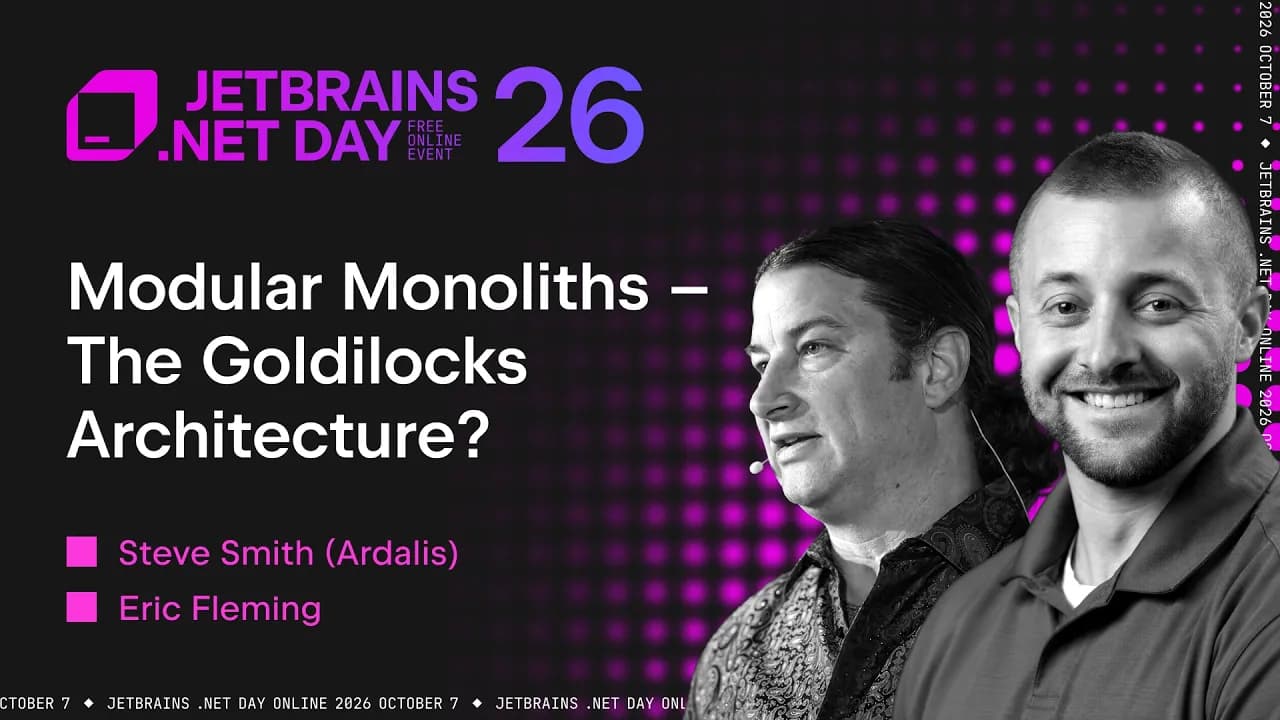
Messaging Patterns for Modern Software Solutions | Irina Dominte (Scurtu) | .NET Day 2026
In a Nutshell
Use async messaging with outbox, inbox, and saga patterns instead of HTTP to guarantee delivery and prevent lost or duplicate data in distributed systems. Outbox saves events in the same DB transaction as business data so messages survive broker or app failures; inbox deduplicates incoming messages to enforce exactly-once processing. Saga (orchestration or choreography) coordinates multi-service workflows with built-in recovery, and existing frameworks like MassTransit or NServiceBus already implement these patterns so you don’t build them yourself.
These notes were generated by AI and may contain inaccuracies.
Today I'm going to try to give you a quick look at three very important patterns, or at least I consider them to be very important patterns in messaging systems.
I am from Romania. I work as a software engineer at Particular. I blog, and recently I started a newsletter called "Eventually Consistent". The wordplay is intentional in some way, because I've always had a subscribe button on my blog, but I've never been able to set up a workflow that actually sends emails to people. So, I said I'll start one. I believe I am in the first month of running the newsletter, and the topics usually revolve around messaging or distributed systems.
We all make requests. We order food, we order, I don't know, things online, right? We expect the package to arrive, right? Therefore, there is this communication between us and the various systems, and we expect delivery to be exactly on time when we need the thing we ordered. Historically, if we are talking about correspondence, correspondence has been used since the earliest days. We used carrier pigeons to send messages, then horse-drawn carriages, and so on. So, some form of asynchronous communication has always been a part of our lives. But what was not part of our lives was asynchronous messaging itself in distributed systems.
We have always relied somewhat on the HTTP protocol to get the job done, but there is something. With HTTP, we had no guarantees of delivery. We would place an order, get a response if we were lucky, and that was it. There was nothing in the protocol that guaranteed our request would actually reach the server side. Let's think about this for a moment. When we make a request via HTTP, we hope that the server is available and working, right? But if there is a server malfunction, the content of our request will be lost. From the server's perspective, there is no way to know or re-execute our request. So, everything gets lost along the way, right?
I made it my personal mission to talk about asynchronous messaging, because I learned the hard way years ago how important delivery guarantees are in your system if you want a robust and reliable system. One thing I want to emphasize is that HTTP is synchronous by nature. No matter how many times async and await are used in the programming code, the protocol itself remains synchronous, right? So we can do what we want, and it will all be in sync. Isn't that so? If we use, for example, GRPC for communication between services or microservices, we will encounter the same problem. GRPC uses HTTP 2, which is a newer version of HTTP, but it remains the same protocol. It has many limitations.
Basically, if we're talking about a realistic system in the age of artificial intelligence, how can we not use HTTP? Well, it's not easy at first, but if we look at a random system, for example, an order component that needs to talk to a catalog containing our product inventory and so on. The usual method would be to make an HTTP API call. It's easy, and everyone knows it. Any novice developer would know how to do something like that, wouldn't they? You make an HTTP request, you do get or post etc., and you get a response. But if you really want a robust system, you'll have to queue up instead of those HTTP requests.
Now, the terminology of our old architecture, the client-server architecture, which is one of the simplest architectures in the world of information technology, is changing. Now we no longer have a client and a server, but rather a publisher or sender who does not send requests, but rather sends events or orders, and we have subscribers or consumers who listen to those events that we publish from the publisher.
I would like to emphasize that we should use the asynchronous system as much as possible because of its benefits, but at the same time, we face some problems. Therefore, when we update, we encounter a lot of complexity, and this complexity can be solved by using the right programming patterns.
Let's say we have an order service that receives some changes, and we want to save these orders, right? In the order schedule. Nothing complicated. It is a very simple structure. But what if, upon receiving a request, we wanted to publish or notify another system of a change or the arrival of a request? Perhaps we should inform the CEO, right? That an order has arrived, or perhaps we want to, I don't know, inform the marketing team. We want to do this in a completely separate way without using the HTTP protocol. Well, we have a few options. One of these options is to save the request in the database first, and then publish the event that informs the other system. So, we have two steps. Save to the database and then publish. Or we could perhaps publish the event first and then save the request in the database. So, which one is the right choice? Well, we can probably try to memorize them at the same time, can't we? But is this possible? Not exactly.
Because we will end up with something that we at Particular Software have termed: zombie logs and ghost messages. And what it is, essentially ends up leaving you in a state of confusion within your system. Think about it. For example, when you have ghost messages, you have a message that has been sent, right? Or sorry, you have a database record of a request that was saved, but without notification. With zombie records, you would have the opposite: a notification, but no corresponding database.
So, how can you prevent this from happening? Because in the world of distributed systems, it's more like "all or nothing", isn't it? You need to have some kind of transaction between these systems, but that presents a problem: how can you put a transaction between a database and a different system? In our case, let's say a message broker, RabbitMQ, or Azure Service Bus, etc. Ideally, we should adopt atomic coefficients to ensure that these two events—or these two steps, so as not to confuse them with events—occur simultaneously. Therefore, the deployment process and changes to the database must be done together. At the exact same moment, without any gaps, when conducting an audit.
In any distributed system, errors are inevitable. It's not a problem if something goes wrong. The problem lies in the timing and what happens when those failures occur. In asynchronous messaging, failures may occur at various stages before the message is sent because you rely on a different system or messaging medium. After sending, perhaps before the message is processed, or perhaps before something is saved in the database. Therefore, the steps involved increase the complexity of the system, and you have to think of each component as something that is prone to failure. So that you can prepare for it as needed.
Understanding how to detect, classify, and implement retry policies is essential. For example, in message-based systems, failures on the receiving side will not affect the message senders, right? Because the message will remain somewhere in the message medium, on disk, in a database, or somewhere else. Therefore, if an error occurs when trying to process the message, perhaps the scheme has changed, for example, that error can be retried and this error does not affect the sender. It is not like what happens in the HTTP protocol where the sender will receive a bad status code or will not be able to proceed with that step. Because messages are persistent, even those that fail will remain in the system until you can resolve them and restart it again. This increases the system's flexibility.
So, how can you put all these good measures in place to prevent failures? Well, the answer is that you cannot prevent failures, but you can apply the right patterns so that the system is not affected. We have just concluded that the HTTP protocol is not as good as we thought it would be. Working with a distributed system without some of the patterns I will talk about means not having a reliable system. Isn't that so? We were content with merely reviewing superficial matters.
The first pattern I want to talk about is the Outbox pattern. The outgoing fund pattern applies to the problem we just talked about. Therefore, we will use the same system. We have changes to the order service, whether it has an API or subsidiary services. It doesn't matter how you break down your code, but this is the high-level overview. Basically, changes are saved in the order table, and then we need to...do it in a way that ensures the event to be posted is also saved in the database.
So, how do we solve this problem? It's very easy. We add an additional table called "Outbox". Since we are now using the same system and the same database, we can apply a transaction to it. This transaction will be able to save the request and the event that needs to be published at the same time. Isn't that so? So, we put everything under one umbrella. Good. We save the request and we save the event, but how do we actually publish the event? We no longer have broken records or missing messages now, but how do we get the message stored in the table? Because it is not an event yet, but merely a record in the database.
Well, these issues are already resolved if you are using a framework such as MassTransit, NServiceBus, or others, where there is a small component implemented pre-installed. You will not have to do anything to fetch those events from the outgoing schedule and deliver them to the system responsible for delivering the messages. Ah, this is the example I took... this is the most famous and most commonly used, but others can be used, right? Whether you use Azure or AWS, it is ultimately a message broker. From there, the "outbound box" operator will publish the event from the database to the message broker. From there, consumers will be able to receive the event.
So, what does this pattern address? The "outbox" pattern addresses the problem of lost messages, because the messages will be stored in the database until they are ready for delivery to the intermediary, and from the intermediary to the consumables. It will fix any inconsistent situations that may occur in your system. Such as events that are delivered without a corresponding record in the database, or a request that is saved without an event. In distributed systems, a two-phase commit is not practical in all cases. It also prevents retry processes that lead to data duplication.
Let's take a look at some code. You will be able to access and run the code yourself if you wish. I have prepared an example using MassTransit and NServiceBus. So, let's take a quick look at this...project. That's not it. That's for later. Good? You should be able to see Visual Studio now. I apologize for using Visual Studio. I'm relatively new to using Rider and I didn't want to mess things up during the live stream. My next hardware purchase will be a Mac, so the Rider would be the most suitable option. I am currently trying to learn how to use it and get used to it. But for a presentation, I didn't want to try it out and see how things would go.
Okay, let's move on to talking about the software architecture. It's fairly simple. Basically, we have an API for requests as the input to our application. Then we have some layers. This is how I like to split my code. You might do it differently. The idea behind messaging systems or event-based systems is the need for libraries to reuse some functions. If you put everything in one folder within an API, you will have to share the interface, and that is not something you want.
Let's take a look at what we have here. We have an order controller who accepts the order. Within the request acceptance function, there are no complicated things. It will save the request in the database. He will post an event confirming receipt of the request. At the same time, an event occurred that indicated the creation of the request, didn't it? Therefore, you can publish multiple events or send commands depending on the scope you are working on. In addition to this, we can segment consumers as we see fit. For example, I have here a notification request for the manager that listens for and reacts to specific types of events. I also have a version of RabbitMQ running inside Docker. These are the queues at the end of which consumers wait to process the messages placed in them.
And of course, I have a database. Let me share it with you. I have a completely new database. Empty. It contains a database of orders with several tables. Customers, order items, orders, and these relate to Outbox. As you will see, it is empty at the moment. Let's see what happens once Postman is used to send a random request. Okay, I'll send it. You can see that I received a response of 202 accepted. The interface has accepted the request, and theoretically it should be in the database. We do not currently conduct any product availability checks or anything similar. We do it in a completely improvised way. You will notice that these two tables, I will show you the code immediately. These two tables, or three in fact with the inbox that we will talk about soon. They are created by RabbitMQ. Oh, sorry. By MassTransit.
Okay, let me show you what it looks like in the Request API. Basically, I'm using the free version of MassTransit now that it's commercialized, because I just wanted to illustrate the style, not the tool. So, how do you do that? You add the entity framework's outbox. You pass the context, and every time you save something to the database, this connection will be linked and also save the information to the outgoing box table. You will see some information about disabling the delivery service, etc. You are initializing MassTransit. We tell them that we use RabbitMQ. We have a retry policy in place. We are setting up some endpoints.
Let's look here, in RabbitMQ, and we'll see that we have two. Let me try zooming in a little. We have "Order Created" and "Order Received", which are two messages that are waiting, meaning that consumers have not started yet, as you can see that the messages are not lost, but are waiting there to be processed. When I run the admin notification agent (instance), those messages will be captured, and as a result, we will see a message written in the console window. And you will see it disappear from here. Good. Now we have two systems. We have RabbitMQ, which is a broker, and we have a database, which, well, you know what that is, right? Therefore, we should view them as not being part of the same world, and I will explain to you how the Export Fund really works.
I'm going to uncomment this line of code because it will give us some flexibility, will save records in the outbound box tables, and we'll be able to see what's really happening behind the scenes. Okay, let me stop this too. Okay, send. Let's send a few requests and query the database. You will now see that I have three orders in the order table here. These are the requests, and we will see a set of items saved in the outgoing mailbox letter table. I will try to enlarge the screen and zoom in a little. You will see that these are the events, "Receive Order" and "Create Order", so there are two for each order we make. You will see that each outgoing box has an ID, so they belong to the same outgoing box. The status of the export fund is linked to this table here, isn't it? Three, namely, the external keys and so on. We can see the content of the message text, as well as some other metadata added by MassTransit.
But now, let's look at RabbitMQ. Here you will see...it works, it is in standby mode, but I can do something. Wait a moment. I will stop the RabbitMQ instance. You will see that it is stopped, then I will be able to send some requests and the system will simply work. I will query the table again and you will see more saved items. But these are all events that need to be addressed by consumers. And immediately, once again, RabbitMQ is still down. But I don't lose the things that were sent. Therefore, it is saved directly in the database. Now that the notifications worker is running, I will run RabbitMQ again, because the worker will process the messages in the table and send them to RabbitMQ, and from there the consumer will need to pick them up. You will see it here. There are too many. Too many means all of those that are here. It should have disappeared by now because it has been processed. That's all. That's how things work.
This prevents messages from being lost, and this adds an extra layer of reliability to your system. Well, I just want to point out that this reliability is on the transmission side, isn't it? Not the treatment aspect. So why do we use it? For all those reasons, and of course because of reliability. The outgoing schedule can also function as an audit log for outgoing events. You can configure MassTransit and other frameworks that have already implemented this pattern and are ready to use, so that the tables related to the outbound box are not deleted, and from there you can use this audit log.
Therefore, to achieve overall reliability in the message processing aspect, you also need to consider the inbox pattern. The inbox pattern is what happens on the intermediary side when processing the message. So, this is one side of the coin, and this is the other side of the coin, isn't that right? When the message is published, what happens from the intermediary onwards? If we look from the middleman upwards, we will have the consumer or processing service, for example, an email service, etc., just as we have one for creating messages or receiving orders. Therefore, when the message arrives, it will be stored in the designated table with a unique identifier. The system will check whether the message has already been processed. If the message has already been processed, it skips it. Isn't that so? So, we now have another table that serves as a record of what was sent, handled, or viewed.
You will see this inbox state, which is now empty because we have consumed all the messages. So, we need to try again a little more. I will now stop the consumer and send another request to see what happens. Okay, let me see. We do not handle the processing. Let's see, the link (rabbit) is not here. Hmm. Good. Here's the status of your inbox. Well, basically every message is saved. A consumer ID will be assigned by the framework. Then you see how many times it was received, when it was consumed, when it was delivered, and so on.
By default, all brokers have at least, sorry, not all brokers. Most brokers have this delivery policy called "at least once". Therefore, the message will be delivered at least once. So, imagine processing a payment transaction at least once. We certainly don't want that, do we? So, the inbox is a way to prevent that second or third processing of the message because you can see whether the message has been consumed or not, right? For this reason, it can function as a message log. This prevents mistakes from occurring. It also does what is called "message deduplication" without us having to worry about how to know whether a message or email has been sent or not, right? It does this automatically by looking at the table that is automatically generated.
Therefore, if we want to achieve overall reliability, we need to look at what the "outbox" and "inbox" are together. This is a complementary relationship. Although you may not hear about the inbox pattern as a separate term, you should know that if there is an outbox, the other part is certainly included as well, even if it is not mentioned. One side occurs from the application to the message carrier, and the other side occurs from the carrier to the consumer. Therefore, these two parts work together. You will be able to run the code. It also contains the steps if you wish to try it yourself.
The third pattern I will present is "Saga". Well, in distributed systems, we usually need to coordinate multiple systems. Order processing, inventory, shipping, and much more. It depends on the scope of your business in determining how many small services you need. The "Saga" pattern is used and applied whenever you have something like a workflow, i.e., a message that needs to go through a set of services to achieve a certain goal, and you want to check the status of the workflow at each point, right? Essentially, this will allow you to ensure a reliable asynchronous connection with recovery capability, because you cannot perform rollbacks within an architecture that spans multiple services.
Therefore, there are two types of "saga" styles: "Orchestration," where it is like an orchestra conductor telling each musician what to do. And "choreography," where event-based microservices operate independently and with minimal coordination. So, if we look at these two types of "Saga" patterns, they look like this. In "Organization", you will have a central point that coordinates everything, acting as a master class (God class) that starts services, calls, and sends messages to other services. Or "kinetic design," where everything is largely unrelated to each other. Every system and every service knows very well what it must do.
So, "coordination" will act as a central engine for the workflow, right? It will coordinate the life cycle. It is a largely centralized structure. You will use this when you want full ownership and when you have complex error handling. "Kinesthetic design" is the other side, where everyone knows exactly what they have to do. Where you have a whole stream of services that send messages here and there, etc., and they know each other very well. The fact is that this type is extremely difficult to debug. You need to know where the messages are flowing from. You should use visualization and tracing tools (such as OpenTelemetry) to determine the path of the message within the system.
Basically, I want to summarize this by saying there is no need to reinvent the wheel. These are problems that have already been solved. Do not program your own system to solve incoming and outgoing box problems and "saga" patterns, because although it is easy now thanks to artificial intelligence, you may miss the fine details that really matter. Use ready-made tools, use abstractions on top of the underlying messaging structure, and use libraries such as MassTransit, Brighter, Rebus, or Service Bus that help you with this and save you the trouble of reinventing the wheel.
Oh, thank you. I hope this demonstration is helpful to you. So, um, thank you very much. If you have any questions, I'm here in the chat. Hello Irene, thank you so much again for that. That was really interesting. I just want to reassure you, we don't mind people using Visual Studio. This is perfectly acceptable. That's good. But I just wanted to emphasize no, that's fine. It's good that you're switching to using a Mac. You will join us. Join us. Okay. Yes. Yes. I'm sorry. Okay. If you need any advice about Rider, just let us know. Anyway, umm, it was a great session. Thank you very much. Um, very useful information about messaging systems. Um, a quick question. Um, we only have a few minutes to ask a few questions, but do I have to use the "outbox" every time I use a messaging system? Not necessarily, but if you want to build a serious system, I recommend using it. Especially if your data is important enough that you wouldn't want to lose it. Intermediaries can go down just
Intermediaries can go down just like databases, can't they? Therefore, you need to provide as many layers of flexibility as possible.
A comment was made regarding a suggestion that SignalR functions could be put into a proxy to resolve everything instantly, handle all errors, and send instant notifications. How will this work with, say, offspring and participation in one of these distributed transactions? Would an instantaneous solution be effective or is it better to stick to these patterns, abstractions as you mentioned, and things like MassTransit, etc.?
Well, SignalR solves a different problem, and uses a different type of communication. Asynchronous messaging in general in distributed systems is not instantaneous. That's why the term "ultimate consistency" was introduced, because you have to design your system in such a way that you know the event has happened, and something will happen, but you don't really know when it will happen, right?
SignalR gives you a sense of realism. I think it's one connection and there are many other things involved. I don't know if using the outbox is appropriate or works with SignalR because it's designed to solve a different set of problems.
Well, basically, I didn't write anything. The code you write when using transport abstractions such as Mass Transit and service bus is just commercial code. You are dealing with how to handle a particular type of event or message, but the exact technical details are implemented by the platform.
I did not create a schedule for Outbox. I just added a function, didn't I? With a few features, that's it. The outbox was present and active on the side he was interested in. That's all. The same applies to the inbox, right? The same applies to sagas. You need to define the steps, but everything that happens in the background, such as saving to the database with the saga cases, etc., I haven't done. I only care about my own business logic, and that's pretty much all there is to it.
I let the software framework do the hard work and work around the messaging interface. So, yes, that's why I want to emphasize that we didn't reinvent the wheel. I simply activated some options and that's it. The code is what I care about, the logic of the business.
Another part that I consider very nice is that I don't have to speak the language of the mediator. I only speak C# using the methods provided by the programming framework, and that's all. I know who the consumer is, and I know who the sender is, and that's all there is to it. I don't really care about how to confirm successful receipt of a message, etc. I'm not interested. I was interested in that at one point and it wasn't fun, at least with RabbitMQ and native APIs.
Someone asked a question about what happens if there is a long downtime with "Outbox" mode? First, I must ask, what do you consider to be a long downtime? Is it a minute, 10 minutes, an hour, or a day? I think that depends on the nature of the work, doesn't it? And the extent of the impact you can tolerate.
The downtime can be long; even 30 seconds may be considered a long time in some areas of business. An hour can also be a long time. But at the same time, since you don't lose the messages, you will be able to get back to work again. You will be running two consumers instead of one, and you will be able to process everything that was lined up in the database, right? And you'll say, it was just the peak. This happens.
So, yes, it's not easy to determine what constitutes an acceptable time to stop, is it? It really depends on what your manager deems acceptable. Or stakeholders, yes. As long as it's less than two minutes before your manager calls, it's considered a short time to stop. Provided it's not during the weekend, that's fine.
Keep JetBrains in your library
Save the videos and channels worth coming back to, and find them again in one place.