Apple Studio Display XDR Review: We're All Pros Now!
In a Nutshell
Apple's new Studio Display XDR replaces the Pro Display XDR with a superior 27-inch 5K miniLED panel offering 2000 nits peak HDR brightness, 120Hz refresh rate, 2000 dimming zones, and nano-texture glass, starting at $3299 including stand—far brighter, higher contrast, and cheaper than its predecessor. It pairs perfectly with MacBook Pro via Thunderbolt 5 for one-cable setups, daisy-chaining, and ecosystem perks like a 1080p webcam and pro-level speakers, signaling Apple's shift from niche "Pro" hardware to accessible high-end "Studio" products for creators and mixed-use pros. Minor gripes include a short cable and top warmth, but it's the best complement to MacBook Pro for video editing, calls, and more.
These notes were generated by AI and may contain inaccuracies.
Maybe we're all pros. This is Apple's new Studio Display XDR. Probably can't tell just by looking at it on camera, but this is the new one. Been testing it, staring at it for a few days now. This is not the most important product that's come out in the past couple weeks, but watching Apple and covering them for a while, the decisions they make and don't make tell us a lot more about what Apple's doing right now.
This past week was a tale of two brand new displays from Apple. They dropped a barely updated regular Studio Display, same design, same stand, same chassis, same 11-year-old panel, 27in 5K IPS LCD panel, but now with the new processor inside and new Thunderbolt 5 ports on the back. For the same $1600 price. It's a weird good-looking but weird monitor.
Then this one, the Studio Display XDR. It's an upgraded, higher performing version. Still a 27in 5K monitor with the same great stand, but the panel is miniLED with 2000 nits peak HDR brightness and 120 Hz max refresh rate with adaptive sync support. This display replaces the Pro Display XDR. Studio replaces Pro.
Not much else to say about the panel itself. It's an awesome display and at a technical level, better in every single way than the Pro Display XDR.
- Gets much brighter: 1000 nits full screen in regular SDR mode (Pro Display only 500 nits).
- Up to 2000 nits peak brightness in HDR vs Pro Display 1600 nits.
- MiniLED backlight with 2000 local dimming zones vs Pro Display 576 zones.
In a dark room with a black background video, the difference is insane: way less blooming, higher contrast ratios. Not even really close.
Also gains extra Thunderbolt 5 port on the back, webcam, and speakers that the Pro Display didn't have. Cheaper: starts at $3299 and includes the stand (Pro Display was $5000, stand extra $1000, nano-texture another $1000). Nano-texture is only $300 more.
Nano-texture started on the Pro Display XDR a decade ago: effective but extremely difficult to clean. Can't touch Pro Display XDR without fear of leaving permanent marks. Birched the infamous Apple polishing cloth and its constantly updated compatibility list.
Brought to MacBook Pro (little better, can use different cloths, clean pretty well), then iPad Pro (touchscreen). This is the nano-texture version on the desktop 10 years later. Came with a note and separate cleaning cloth: only use this polishing cloth to clean it. Different polishing cloth than previous Pro Display. Can probably use other microfiber cloths without issue. Apple updated compatibility list for old polishing cloth to include new Studio Display.
Last time reviewed Studio Display, paired it with MacBook Pro and said even though made for Mac, doesn't make a great pair because they don't match: MacBook Pro has high refresh rate miniLED, Studio Display was 60 Hz LCD. Now Studio Display XDR is a much better pair.
Lots of other monitor options to pair with Apple computer, but many choose Apple display because of how well it pairs and works with Mac. Not just aesthetics (silver and metal), but one-cable life: single Thunderbolt 5 cable into display at desk, all accessories light up, everything connected to other ports on back, including another full-speed Thunderbolt 5 port for fast storage. Can daisy chain up to four Studio Displays or two Studio Display XDRs to same MacBook Pro through one cable, all matching high refresh rate, high brightness miniLEDs, charging MacBook Pro at 140 W.
Studio replaced Pro. Apple's blog post calls it the world's best pro display. Packaged as base Studio Display and upgraded Studio Display XDR, easier to sell, explain, understand. Apple loves price ladders.
Theory: Apple not interested in targeting real pro market anymore. Pro market super small, picky, least likely interested in ecosystem. Dabbling in pro stuff occasionally (Mac Pro exists), but not bread and butter. Most 'Pro' stuff like iPhone Pro or MacBook Pro are high-end consumer devices with pro-level capabilities.
Natural extension: Mac Pro is doomed. Mac Studio getting more regular updates than Mac Pro (no update since M2 Ultra in 2023). Bet it doesn't get more updates. Word studio replaces pro at top of Apple's lineup: most pro stuff from Apple has studio on it.
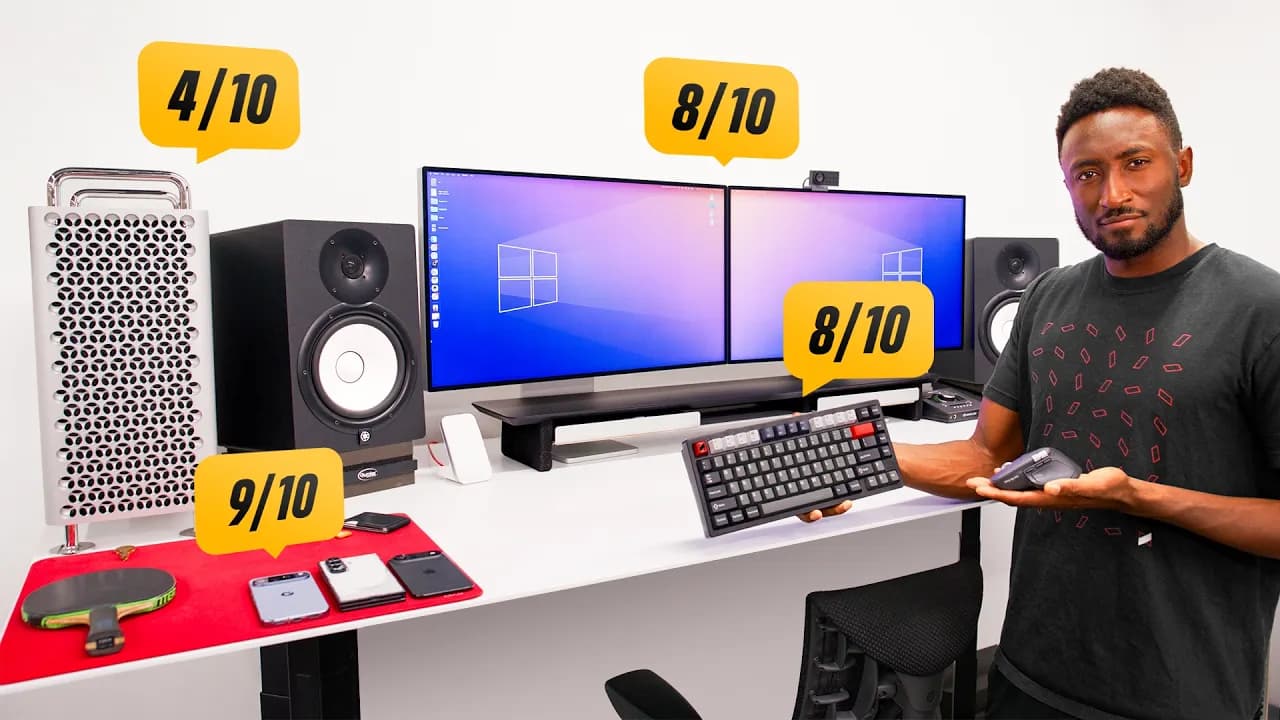
Using Mac Pro and Pro Display XDR since they came out. First thought on announcement: should switch to Mac Studio and Studio Display XDRs? Used to huge Pro displays with more real estate, but 27in 5K with slightly thicker bezels still a lot of screen. Everything else better, so probably should switch.
For everyone without Pro Display looking for best to pair with MacBook Pro, this is as good as it gets. As video creator, more than pro enough. Hollywood studios don't need webcam/speakers (lives in editing den, no FaceTime/gaming/YouTube), but this is mixed-use: edit videos/photos, video calls/virtual meetings (1080p Center Stage webcam nice), watch videos/listen music. Speakers 16-inch MacBook Pro level, impressive for tiny chassis (still get dedicated speakers). 120 Hz max refresh rate great for animations, scrolling, gaming (pro reference monitor wouldn't be used for that).
Nothing much to compare: no other 27in 5K 2000-nit HDR miniLED with high refresh rate.
Thunderbolt 5 cable short (3 ft). Top gets warm after on a while (big bright display + A19 Pro chip with 12 GB RAM for webcam/speakers). Power supply built-in, but power cable non-removable (pain to replace).
If you want best display to complement MacBook Pro for one-cable desk setup, it's this one. Apple, update Mac Studio with M4/M5 Ultra soon.
Keep Marques Brownlee in your library
Save the videos and channels worth coming back to, and find them again in one place.