Live coding Rust with Air in RustRover
In a Nutshell
Orhun demonstrates the AIR agentic plugin in RustRover for managing AI coding agents, reviewing code through diffs, and creating work trees for isolated PR development. The livestream shows practical usage of Codex and other models to fix deprecation warnings, add custom underline modifiers (curly, double, dotted, dashed) to Ratatouille, and refactor examples using tab widgets. The workflow includes auto-generating GitHub issues, running parallel AI-assisted sessions, and committing changes with GPG signing while managing multiple PRs simultaneously.
These notes were generated by AI and may contain inaccuracies.
Orhun, a RustRover advocate at JetBrains involved in open source projects including Ratatouille, introduces the AIR plugin during a livestream. AIR is an agentic plugin for JetBrains IDEs that shipped with the 2026.3 release. The plugin provides a new pane in the IDE for managing agents and interacting with AI coding assistants.
Users can access agent management through the IDE to set up various agents including Juni, Cloud, Codex, Claude, OpenCode, Qwen, Grok, and Py. Juni is the model JetBrains provides and can be installed and used for free inside the IDE as an alternative when burning tokens or when credits run out. The plugin supports terminal setup to add Cloud as a terminal pane. Codex serves as the primary driver for this livestream, with OpenCode used for experimenting with new models.
The agent management screen displays cost information, status updates, and provides notifications about agent activities and task completion. Users can switch between different accounts and the plugin automatically picks up existing configurations without requiring additional setup.
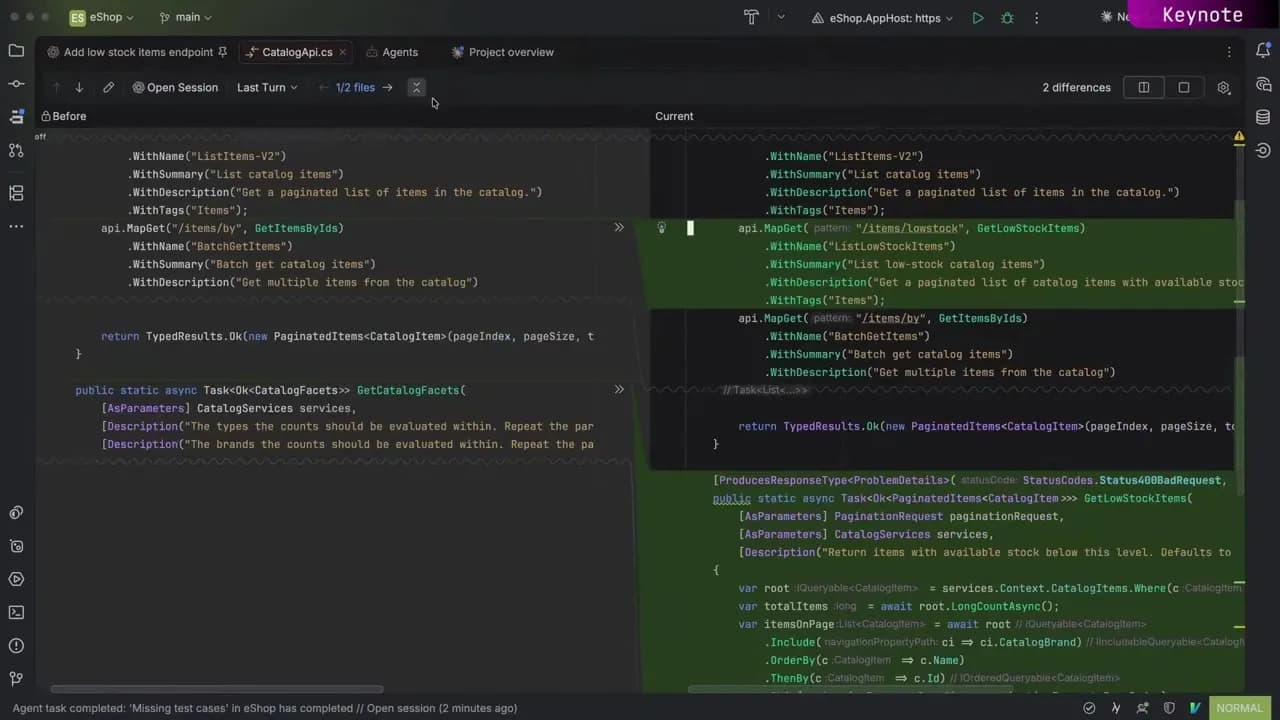
AIR supports reviewing code through diff visualization and code notes functionality. Users can quickly see diffs, add comments directly to the agent, and conduct code reviews through the interface. The plugin provides interactivity with logs where clicking on code snippets or specific lines navigates directly to the relevant location in the IDE.
The workflow begins with the Ratatouille codebase. Users create new sessions through the AIR interface, select models like Codex 6.1 Sol, and configure auto review settings. Work trees enable quick creation of new branches and contexts for different PRs and tasks.
Clippy warnings appear regarding deprecated attributes without specified version information. The deprecation keyword indicates APIs should not be used, and Clippy requires specification of which version deprecated the item. The plugin can switch to plan mode for creating GitHub issue templates and managing deprecation policies.
A PR titled "Move external change checks to daily workflow" demonstrates the code review workflow. The plugin provides diff views and allows direct commenting on changes. The discussion covers beta testing features, model selection preferences, and the balance between using AI assistance versus manual code interaction.
The project typically removes deprecated items after two major versions, though some items from versions 26.2 and 26.3 remain. The conversation explores whether to remove old deprecated functions entirely rather than maintaining them. Users can create conventional commits for changes and sign commits through the terminal interface.
The plugin generates GitHub issue templates for deprecation cleanup tasks. Users can manage presets through agent configuration, creating custom presets like "PR Helper" that check out PR branches, review changes, and suggest adjustments. Presets support configuration of models, effort levels, auto review settings, and injected instructions.
Work trees enable isolated development environments for different PRs. The plugin automatically creates new work trees when selecting branches, maintaining separate contexts for each task. This supports parallel work on multiple changes without interference.
A daily workflow configuration runs at 6:30 UTC rather than the originally specified 6:17 time. The plugin can review and adjust CI configurations, including timing parameters and workflow definitions. Users can merge changes directly through the interface.
Juni Pro was used for months before switching to Claude. Different users report preferences: some use Kwan and Mistral for local models to avoid remote provider costs, while others prefer specific models for different tasks. The plugin displays pricing information for Juni usage, showing costs like 0.03 cents for specific queries.
The plugin can analyze open PRs in repositories and identify interesting work items. A PR adding custom underlines to available modifiers in Ratatouille demonstrates the workflow for implementing new features. The plugin edits README files, updates examples, and adds tests to demonstrate new functionality.
Juni displays pricing information even when using pro AI licenses. Cloud also shows pricing details. The plugin supports accessibility features like custom underlines for text styling in terminal applications. Different terminals support different modifiers, with some supporting blink effects while others do not.
Modifiers in Ratatouille function as attributes for text styling, supporting various effects including crossed out, underlined, and other formatting options. The plugin can update examples to demonstrate new modifiers with different foreground and background colors. Users can run modifier examples to see visual representations of supported styling options.
JetBrains releases new versions frequently, with 2026.3 released the previous week and work already underway for 27.1. EAP and nightly versions provide early access to features. The development team maintains contact with AIR developers to relay user feedback. Community building efforts focus on creating spaces for early awareness of new features and gathering user input on RustRover development.
The repository contains both minimal code examples and full application examples. Seven years ago, the speaker had difficulty explaining these in English. Application examples are more involved than widget examples. Previously, users would copy and paste library examples into their own applications, but this practice has changed. The speaker notes that examples may be more useful for AI agents.
The speaker attempts to run the modifiers example but encounters issues with Git work tree switching. The custom bash prompt called "fly line" is mentioned. After switching to the correct work tree, the modifiers example runs showing curly underlines and double underlines.
The new underline styles added are curly, double, dotted, and dashed. The speaker initially cannot see the dotted underline in Western. The curled underline is noted as particularly nice, with observed usage in new tree apps.
The speaker encounters difficulty changing microphone input devices in the IDE, noting they never expected to have microphone settings in an IDE. They mention asking Junie about changing microphone settings, describing it as a "crazy ask question."
The speaker discusses potential future IDE features including video settings, live motion recognition, and gesture-based code review where swiping right accepts code changes and swiping left rejects them. They mention 38 people watching the live stream and note that the gesture idea should remain a "company secret."
The speaker searches for system settings related to sound input and mentions using wire mix to detect when new devices are added. They encounter issues with the microphone not working properly.
The example is identified as part of applications rather than widget examples, so it can be made more complex. The speaker notes that widget examples should be easily readable for copy-paste, but application examples can include more widgets like tabs. The "patch style" functionality is unclear initially.
The test shows that style patch replaces existing underlines. This is identified as a combination test for different modifiers. The speaker mentions having a "killer idea" from five minutes earlier about "Tinder for IDEs" with voice and video control.
The stylized trait uses a macro to add functions and reduce boilerplate code. The speaker identifies the internal macro and confirms it should be fine. They question whether "remove modifier" is a new function and searches for it.
The add modifier function is located next to the remove modifier function. The speaker asks the agent whether modifiers are properly removed, describing the implementation as "fragile" and noting they need more coffee.
The speaker mentions drinking filtered coffee instead of mate tea, noting that excessive caffeine consumption leaves the body tired while the mind continues working. They took a break from mate after live streaming the previous day.
The patch logic stores the resulting active modifiers by adding the modifier once and then removing it, rather than multiple insert/remove operations. The add modifier function handles the insertion logic.
The stylized trait is confirmed to be in place. The speaker notes minimal behavior change from the modifications. They identify that the example needs refactoring because it's hard to read with wide columns that are not clear.
The speaker requests refactoring the example to use a tab widget for easy switching between views, making it easier to read without overcomplicating it. They ask whether the agent can use other LLMs besides Anthropic and OpenAI's models.
The speaker confirms that other LLMs are available, pointing to a catalog that includes Pi (a local QAN model), Croc Build, Crow CLI, and CodeBuddy code. They note having installed Pi but never used it.
The refactored example shows dark gray, gray, white, and red colors with clear labels for each modifier and compact groups of sample texts. The speaker notes the range is "quite nice" but incomplete, and plans to include it in the next release and add it to the milestone.
The speaker suggests using a two-string implementation for modifiers instead of hardcoding names. The new underlines demonstrated are dotted, dashed, curly, and double. The speaker mentions potential use cases in terminal code highlighting tools.
Curly underlines have been observed in Clippy and Rust C. The speaker runs the example in the terminal and notes that some underlines are not supported in either Zellege or the current terminal, though they work in Western.
The speaker confirms the implementation for lists should be fine despite the hardcoded approach.
The speaker commits changes step by step with GPG signing disabled. They amend comments by rewording and rebasing. After pushing changes, they note there are many changes and identify the modifiers example location.
The speaker reverts a change and starts a review, checking what changed in the cargo log. They note that eater tools are no longer needed in the modifiers example. After applying upstream review comments, they observe that the review comment workflow was "under optimized."
The speaker states the PR should be in good shape and plans another final review. They mention considering introducing "rota 2" into projects but being too lazy to read the documentation previously.
The speaker explains that rendering concepts are straightforward - users need only terminal draw in a loop, render widgets, and manage application state. They encourage trying it as "it's time."
The speaker creates new sessions using work tree with PR helper, planning to give links for assistance. They mention "copy it styles break patch composition" and adding tests for issues. They note doing a "full AI workflow" with multiple work tree PR helper sessions running in parallel.
The speaker examines the Elm architecture example, which demonstrates the T architecture that splits applications into multiple parts for better code structure. This allows message and action passing in applications, following a commonly known UI development approach.
The speaker wants to restructure the example by moving T list definitions and constants to the top, with main function and helper functions at the bottom, without changing actual structure or behavior. They request following the same style as other examples.
The T definitions, constants, runtime, event pull, and message handling are moved to appropriate locations. The speaker notes that run and main should be at the bottom before tests, and helper functions should potentially be removed if they are short.
The speaker adjusts the current table example to showcase new behavior, noting it is now in "way better shape." The example demonstrates a list with a dummy load screen. They add spaces for readability and move main function location.
The quit message should always be visible on the bottom block and moves to the top block after the load screen. The speaker identifies additional review items needed.
The speaker identifies some regression fixing related to combination testing of different elements. They note that copy operations on lines preserve replacement functionality.
The speaker examines changes in libRS related to cross term and plans a final review, hoping tests will pass.
The agent has fixed the key binding location. The speaker considers committing and merging, noting the PR is in good shape. They check the readme file which contains just a link.
The speaker edits the commit to provide a nice short commit body for the merge. They regenerate images using VHS for examples and identify the need to commit to a separate images branch.
The speaker switches to the images branch, copies the table detail T example to the appropriate location, and adds an image for the table detail T example. They note this will make the image directly available via link.
The speaker mentions MPV for playing GIFs. They created a new PR and need to check what happened, noting the need to preserve original behavior.
The speaker notes that CI stuff takes forever to run and mentions having many other things to do. They check table example changes involving mouse events scrolling differently.
The speaker's goal for the live stream is to merge one PR and return to others later. They terminate a session and note they are still fixing modifiers stuff while waiting for Mac OS CI.
The speaker updates the GIF for the modifiers example using VHS tape, noting the need to adjust the modifiers tape because the example changed.
After merging the example, the speaker notes having an Elm architecture example and considers updating the website. They review the last item, which involves custom underlines and modifiers.
The speaker acknowledges that adding stuff takes a lot of work but notes good progress with almost four PRs completed. They express looking forward to seeing people use curly underlines in the wild, noting fun use cases.
The speaker checks the milestone and release milestone status for the custom underlines feature.
There are currently 10 open PRs in the repository. Custom outlines feature is actively being worked on. The release is planned to be pushed in a couple of weeks. Legacy compatibility tests are being added as part of the ongoing work.
The system creates a temporary project for testing purposes rather than using a rolling approach. Instead of rolling, binding is being used for the testing mechanism.
A new VHS tape is being created for the modifiers type. The generation process includes validation of the tape. The initial output lacked colors, which required investigation of previous examples stored in the examples directory.
The GIF generation required multiple attempts to achieve the desired result. The final output successfully generated the tape with the expected visual presentation, meeting the intended specifications.
Commits are being made one by one, with each commit requiring individual signing. One commit was identified as suspicious and required careful review. The file target modifiers GIF is located in the work tree.
After resolving the commit issues, the changes are pushed to improve the example. The work is considered mostly ready for further review and potential merging.
Two new features have been added: custom underlines (almost ready) and a T example. These represent two relatively middle-sized PRs. The progress made is considered satisfactory for the scope of work completed.
This session demonstrated practical usage of Air, RustRover, and AI integration in an open source maintainer workflow. The approach shows how these tools are used in day-to-day development work for someone involved with relatively complex projects.
Keep cooking out there
The session concluded with appreciation for participants and an invitation to future live streams.
Keep JetBrains in your library
Save the videos and channels worth coming back to, and find them again in one place.