Air inside Rider: a live demo from .NET Day
In a Nutshell
Rider's new agent system lets developers run any AI model through the open Agent Client Protocol without needing a JetBrains subscription. Agents create code, run tests, and work in parallel while developers stay in control through Rider's native tools for reviewing diffs, debugging, and refactoring. Built-in skills and the Skills Log teach agents how to use Rider's debugger, refactoring tools, and other IDE features, making AI assistance a native part of the workflow rather than an external add-on.
These notes were generated by AI and may contain inaccuracies.
The default entry point for working with agents in a .NET project appears as a default background ready to work when no editors are open. Users can choose which agent to use, and AI allows bringing your own agent into Rider. The Codex agent is selected for the task, with the ability to decide which model to use, check progress, and activate planning mode.
An order is pasted requesting the agent to create a new endpoint with tests to return a list of items where stock is decreasing. Additional context can be added or attachments used before sending the request.
The agent session starts in the Editor tab instead of the Tools window, providing space to interact with the plan, agent questions, and other content. While the agent works, the Agent Session Tools window serves as the main control panel for tracking agent activity.
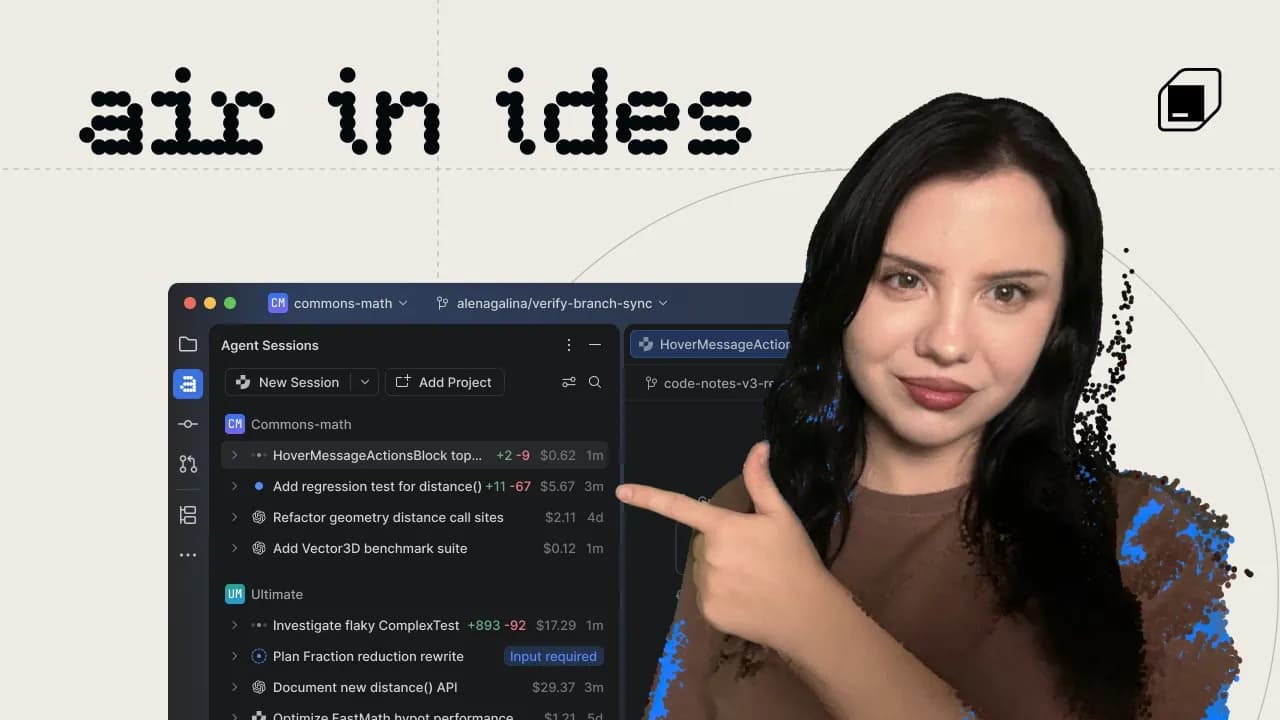
The Agent Session Tools window lists all sessions agents are working on, both inside and outside the IDE, in both graphical interface chat and terminal interface. A useful indicator at the top shows the number of sessions currently running, awaiting input, or recently ended. Sessions can be filtered, and displayed information includes time of last update, changes that occurred, sub-agents working, and cost for tracking token usage.
Important sessions can be pinned to the top, which also pins the Editor Session tab to help focus on the current task. When a session ends, such as missed test cases, clicking the checkmark marks it as completed and archives the task. To restore archived sessions, filter options can be changed to show everything, then right-clicking a previous session allows reopening it for continued work.
A button for creating new sessions allows working in parallel with other sessions. One agent can plan while another agent finishes testing for a different feature.
The real power lies in choosing which agent to use without restriction to a specific agent. The Agent Client Protocol (ACP), an open-source industry standard that was helped define and build, allows adding almost any proxy to Rider. Options include a log provided as part of Rider, and virtual integrations with Juni, Cloud, CodeX, and Open Code.
To install GitHub Copilot, clicking a button allows AI to provide an ACP adapter. No JetBrains AI subscription is needed to use these proxies - users bring their own subscription, and the ACP adapter asks for authentication on first use.
Multiple API keys and accounts can be added and switched between even while sessions are running. Cloud subscriptions can be used within the integrated terminal user interface, with sessions still listed in the proxy session tools window.
Two files have been changed, accessible via the review button to see differences. The test file shows two tests added, with the ability to view the diff. Navigation to files allows seeing changes in context. Large tests can be run directly.
The agent finished work but responsibility remains for launching the feature. Understanding changes and ensuring proper functionality requires IDE features including testing, navigation, refactoring, and debugging. Built-in hints explain complex LINQ queries in the new endpoint implementation.
Breakpoints can be set to run debugging operations. The Endpoints window locates new endpoints like the low-inventory endpoint, which opens in the main editor. Results show 100 items coming in but only displaying 10 of them.
A change is decided to use the restock limit from the catalog item category instead of passing a minimum inventory value. Navigation helps locate the restock limit item. A single line change could be made manually, but removing parameters and updating tests makes this more appropriate for the agent.
Comments can be added to the Diff view stating "Get rid of the parameter, and use the restock limit" with notes. After finishing review, all notes are gathered and returned to the session, where they attach at the bottom. Additional notes like "Tests Update" can be added before releasing the agent to do the work.
One agent implements solutions while Rider's built-in code intelligence features help understand, review, and own the changes. Programming intelligence and the same tools can be given to agents.
The proxy setup tool in the status bar provides easy access to configure skills, links, and tools. Rider's MCP works and is configured for Claude and Codex. External agents gain access to Rider's internal tools including research, restructuring, and debugging.
The Skills Log lists all installed skills from Rider and current agents, allowing addition and installation of more. Bundled skills include code debugging and code refactoring, teaching agents how to use Rider's debugger and refactoring processes. Additional skills cover Microsoft .NET, Aspire, Azure, front-end, and integration.
Links allow Rider to reformat and inspect code created by Claude or Codex, making checks part of the agent's workflow instead of waiting until review time. This provides a quick overview of AI tool development aligned with changing developer workflows. Work trees support, proxy presets, and cloud integration represent ongoing development areas.
Keep JetBrains in your library
Save the videos and channels worth coming back to, and find them again in one place.