Your AI Agent Says It's Done. Now What? Codex + JetBrains Air in Rider | .NET Day 2026
In a Nutshell
Agents now complete full coding tasks in .NET projects, but developers still own the final responsibility for correctness and production readiness. JetBrains Air integrates AI agents directly into Rider with ACP protocol support, letting users bring their own agents while giving both humans and agents access to deep code intelligence, refactoring, debugging, and profiling tools. The core value is that writing code is cheap—reviewing and understanding changes across the entire codebase remains expensive, so IDE context and tooling become more critical, not less.
These notes were generated by AI and may contain inaccuracies.
The speaker references C++ language cards for children with terms like "Abstract" for the letter A. These cards were created before artificial intelligence became ubiquitous. The speaker notes that if printed today, the letter A would likely stand for Artificial Intelligence rather than Abstract, reflecting the rapid changes in the field.
Most developers no longer ask artificial intelligence to simply complete a line of code. Instead, they assign agents entire tasks such as adding an endpoint, migrating a service, or fixing a bug. The agent returns with actual changes to the codebase. This approach is useful and has become the normal way of working.
However, the agent gives you the change but does not give you the responsibility. If something goes wrong in production, the agent will not receive a 3 AM call. Developers still need to understand what has changed, how it fits with the rest of the application, test it, correct mistakes, and decide whether to release it. Writing code has become cheaper, but running it has not.
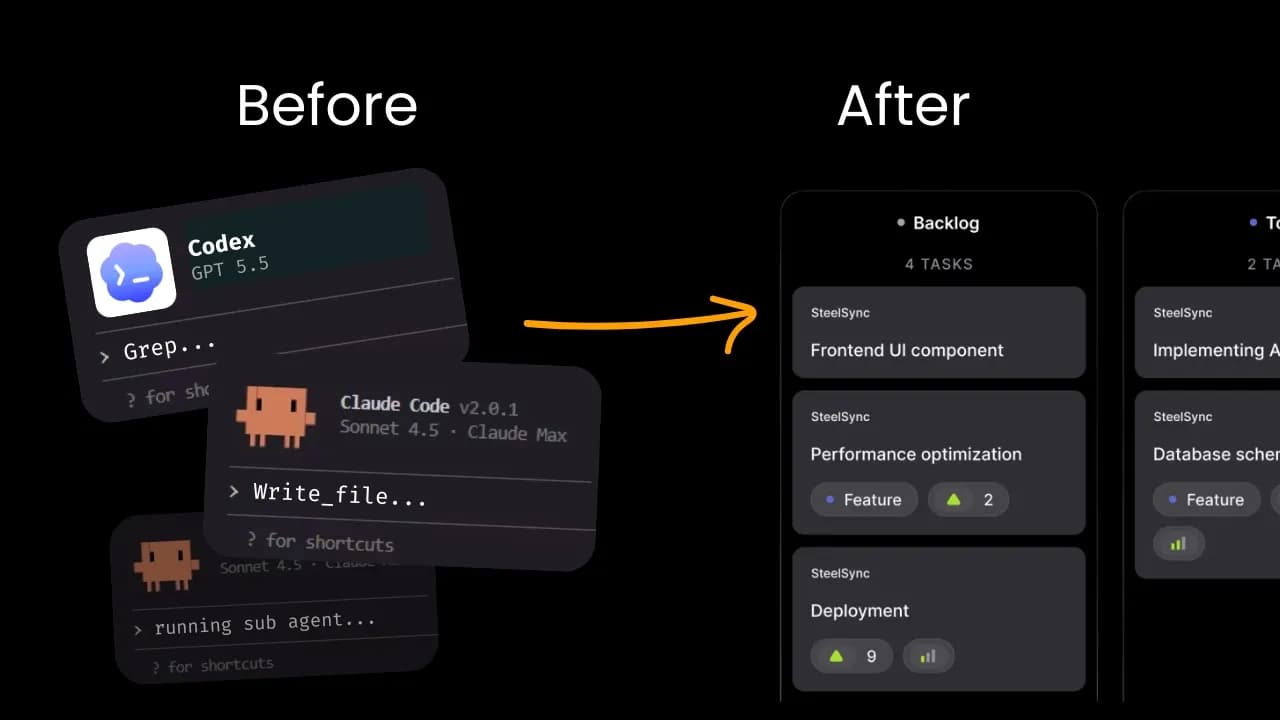
JetBrains Air is their response to these changes. Air is described as a single system for building software using proxies. It appears differently depending on the user's role:
- For developers: Air in IDEs allows running agents where code lives, monitoring what they do, and reviewing changes in context with existing tools
- For teams: Air Teams provides joint projects, cloud environments, and delegation of repetitive tasks
- For governance: Air Governance offers access, usage, and spending policies in one place
Air is an open system. Users should not choose development environments based on current user interfaces. The best agent today may not be the best in six months. Users can bring their existing agent and subscription. This addresses the common question of why an IDE is still needed if agents write the code.
The speaker argues the opposite: agents make the development environment more important. The example given involves an agent changing how product prices are temporarily stored in an ASP.NET application. Tests pass and code differences look clean, but questions remain about cache clearing, who else reads the data, and concurrent request handling - none of which appear in the code differences.
The development environment contains more than text - it includes types, symbols, dependencies, every use, project structure, and surrounding tools. Navigation, inspection, restructuring, testing, debugging, and analysis are all available. When reviewing agent work, this is exactly what developers want available.
The knowledge does not have to belong to developers alone. Agents can ask the development environment questions like "Who is actually calling this method?" or "What does this type refer to?" Agents can even run profilers and view data in real time, establishing facts instead of making guesses.
The approach is not to replace developers with agents. Instead, it focuses on providing the best way to guide and review what agents are doing, while giving agents better tools to perform their work effectively.
The presentation will show AI inside Rider, including choosing an agent, assigning a real task, and addressing what happens when the agent says "It's done." The demonstration covers checking work using Rider and handling situations requiring additional review. An agent will then be shown using developer tools like dotTrace analyzer. Finally, the presentation demonstrates that this is not limited to Rider - .NET intelligence can work with other editors.
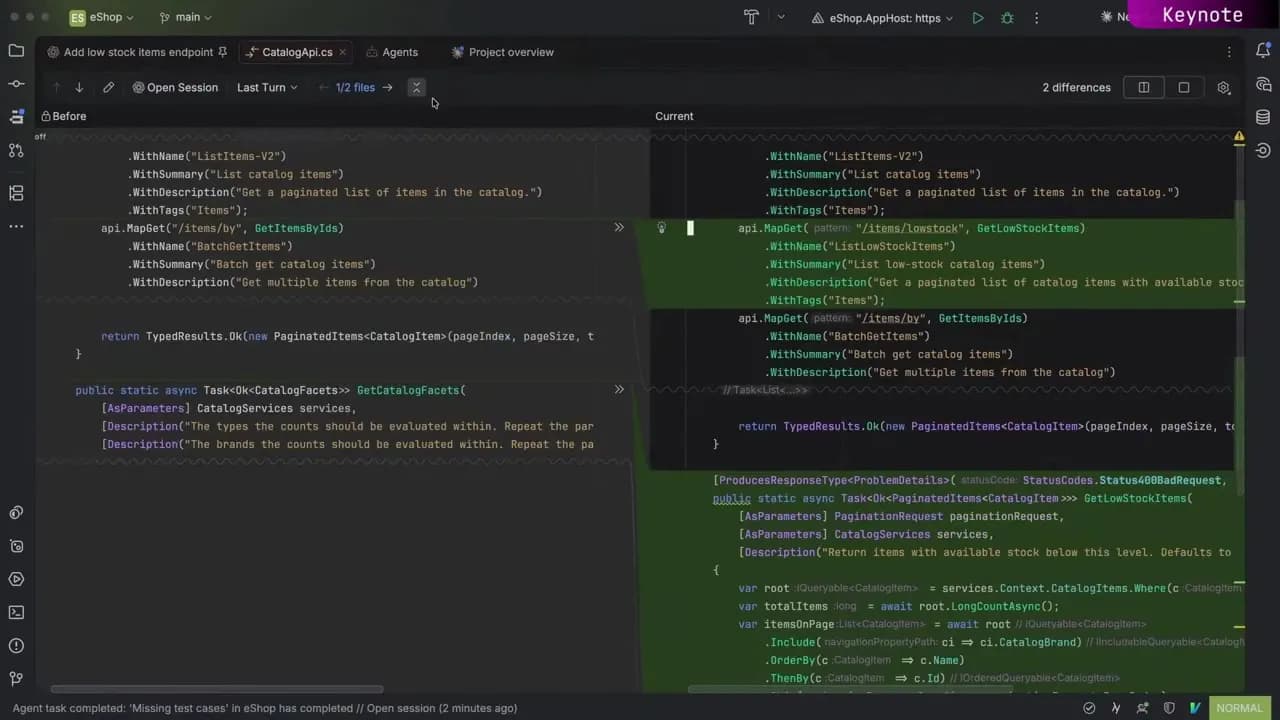
In a standard .NET eShop project, the agent is asked to create a new endpoint with tests to return a list of items experiencing stock drops. The default entry point for agents displays as a background when no editors are open. Users can choose which agent to use, which model, check progress, and activate planning mode.
The agent session starts in the Editor tab rather than the Tools window, providing space to interact with plans, agent questions, and other content.
The Agent Session Tools window serves as the main control panel for tracking agent activity. It lists all sessions whether inside or outside the development environment, in graphical chat or terminal interfaces. An indicator shows sessions currently running, awaiting input, or recently ended. Users can filter sessions and choose displayed information including last update time, changes made, sub-agents working, and cost for tracking token usage.
Important sessions can be pinned to the top, which also pins the Editor Session tab. Completed sessions can be marked as "Done" and archived. Filters can be adjusted to show all sessions, and previous sessions can be reopened. New sessions can be created to work in parallel with other sessions.
Users are not restricted to specific agents. Through the Client Proxy Protocol (ACP), an open-source industry standard, almost any proxy can be added to Rider. Options include records provided with Rider, virtual integrations with Juni, Cloud, Codex, and Open Code. GitHub Copilot can be installed with AI ensuring an ACP adapter is available.
No JetBrains AI subscription is required to use these proxies - users bring their own subscriptions. ACP adapters require authentication on first use. Multiple API keys and accounts can be added and switched between even during active sessions.
After agent completion, changed files can be reviewed. Tests can be run directly from the IDE. The importance of the IDE becomes apparent as developers remain responsible for feature rollout and must understand changes and verify intended functionality. IDE features like testing, navigation, refactoring, and debugging provide investigation capabilities.
Built-in hints help explain complex code like LINQ queries. When errors are identified, tracking processes can be run and results examined through the Endpoints window.
When changes are needed, such as removing a parameter and using restock limit instead, developers can add comments to the difference view. Notes can be compiled and sent back to the agent for implementation. This demonstrates using agents for implementation while leveraging Rider's code intelligence for understanding, reviewing, and owning changes.
The Agent Setup tool provides access to configure skills, hooks, and tools. Rider's MCP protocol runs and can be configured for Cloud and Codex. External agents gain access to Rider's internal tools including research, restructuring, and debugging.
Skills include code debugging and code refactoring that teach agents how to use Rider's debugger and refactoring processes. Additional skills cover Microsoft .NET, Aspire, Azure, front-end integrations, and hooks that allow Rider to reformat and inspect code created by agents like Claude or Codex as part of their workflow rather than waiting for review time.
When investigating performance problems like excessive CPU usage, repeated garbage collection, or inefficient database access in ASP.NET requests, professional tools like profilers are needed. The demonstration uses an Avalonia implementation of Conway's Game of Life where performance issues were discovered through Rider monitoring tools.
The dotTrace analysis skill gives agents structured ways to examine runtime data, read and query performance snapshots, track hotspots, and link activity to code. This provides agents with real evidence rather than guesswork. In assessments, average accuracy rose from 4.7 to 8.1 out of 10.
ReSharper is no longer limited to Visual Studio. It can now be used in VS Code, Cursor, and other compatible editors, providing code analysis, navigation, refactoring, and module testing. .NET developers can maintain JetBrains understanding of their code regardless of editor choice.
The caching example challenge persists across editors - whether agents work in Rider, Terminal, or Cursor, someone must understand how changes fit with the rest of the application. JetBrains has been building .NET tools for over 20 years to help examine agent work and enable agents to use these tools themselves.
Writing code has become much cheaper. But being wrong doesn't mean you're wrong anymore.
The mission is to make the decision of what gets released easier. With AI, developers can work with agents of their choosing while remaining in control. Rider and ReSharper provide deep understanding of .NET code that extends to agents wherever developers work. Some features shown are available now, others are in early stages. Feedback is requested to improve the work.
Keep JetBrains in your library
Save the videos and channels worth coming back to, and find them again in one place.