The New Full-Stack Designer
In a Nutshell
Marvin Schwaibold's AI-driven workflow replaces extensive Figma work with rapid prototyping in Codex and Claude Code, positioning designers as editors who curate AI output and maintain quality standards rather than creating from scratch. At Shopify, his team builds Sidekick (AI infrastructure) alongside admin redesigns, using prototypes to demonstrate ideas and get buy-in faster than traditional PRD documents. The key insight is that designers must break complex concepts into components for AI, then use tools like DialKit to expose parameters for precise control—enabling full-stack capabilities that weren't possible before.
These notes were generated by AI and may contain inaccuracies.
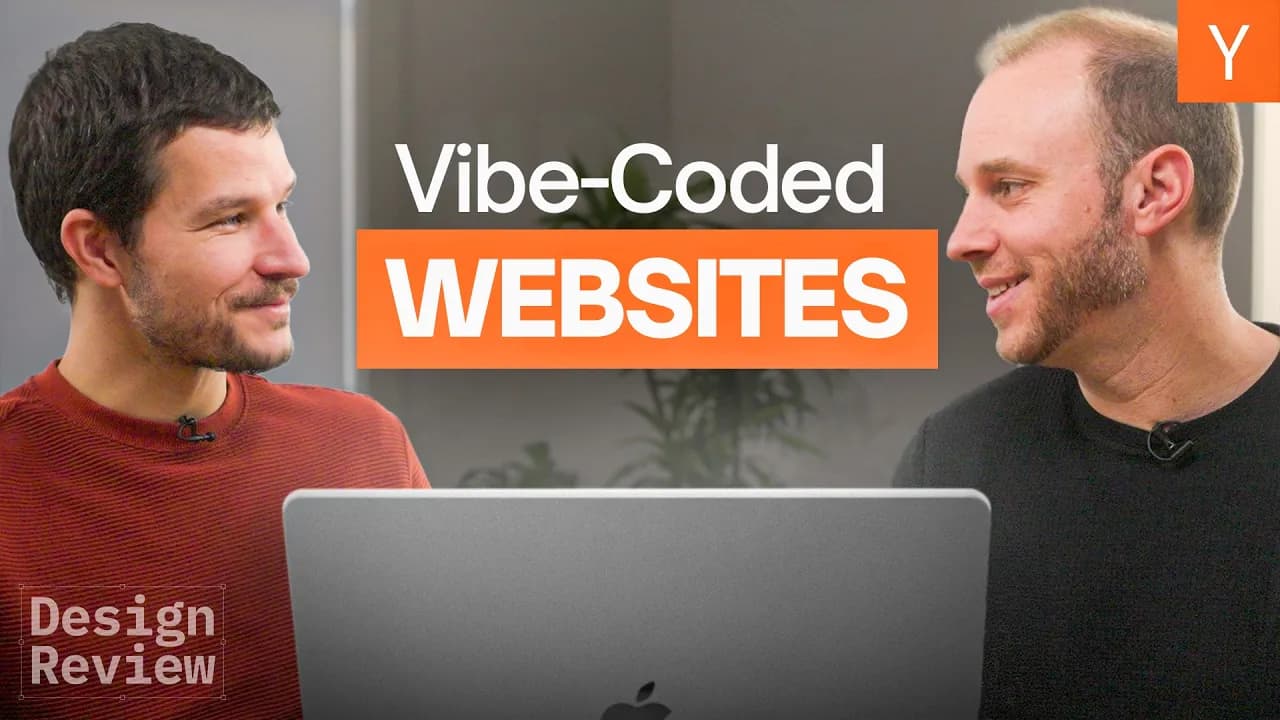
Marvin Schwaibold leads the product design studio at Shopify. He provides a behind-the-scenes look at his process using the latest AI tools to bring designs to life, followed by reviewing viewer-submitted websites on an episode of Design Review.
Marvin describes his process as remaining extremely iterative and sequenced, with many iterations and variations. The tooling has shifted significantly from Figma and aesthetic layouts to an AI-driven workflow. He uses Figma as a scratch pad for initial ideas, then quickly moves into real demos that can be tested on phones or computers. He only returns to Figma occasionally when needing to lay something out or explain something to AI. The workflow incorporates tools like Codex and Claude Code, working in terminal to reach usable output much faster.
Marvin emphasizes that the human designer remains in the driving seat, responsible for quality controls and decision-making. The output is no longer the issue. The challenge is being extremely selective about what to move forward with. The role has shifted toward curating what AI creates through continuous back-and-forth interaction. AI is capable of executing many tasks as long as the designer understands the complexity of the work and can break it down into subtasks to feed to the agent incrementally.
Marvin states that designers are more the editors now than ever before. Getting to the editing point previously required extensive hand-crafted design in Figma, but AI tooling now speeds up and extrapolates that process. The human remains responsible for the ultimate final output and ensuring it meets their quality bar. AI has raised the ceiling for everyone but is not a crafter. It can execute complexity and technology that designers couldn't handwrite in code, but it doesn't know what looks good versus bad. That judgment remains with the designer to steer AI in the right direction.
Marvin works with a team of talented designers running an initiative to redesign and touch the most important surfaces at Shopify. This includes Sidekick, the AI infrastructure layer managing the entire admin, the mobile app called the green app, and admin dashboards. They have recently been working with new AI infrastructure built by engineering teams.
Shopify is 21 years old and entering a new era where AI is changing many things. The design team's work involves modernizing the company through design and experience. Marvin explains there are two parts to the current initiative: one part of the design organization has redesigned the entire admin experience, starting in Figma with polished interfaces brought to the web. The Sidekick team works on automating and manipulating Shopify interfaces via chat, allowing merchants to use chat, Sidekick, or AI infrastructure to manage their store and automate merchant tasks online.
These two sectors of the company may seem controversial or paradoxical but work well together. The team builds beautiful new UI while also using new UI to generate AI infrastructure and AI workflows. This translates into the mobile app, up-leveling the mobile experience with more conversational interactions where merchants talk to Sidekick about their business rather than manipulating it through the interface.
Before joining Shopify, Marvin ran a design studio called Molly in Brooklyn with his studio partner J Tal for about 2 years. They worked with clients including Collins, Apple, and Google, plus smaller clients. As a small studio, they maintained extremely close relationships with clients, meeting weekly for many weeks. They never took on more than two or three clients at a time to stay focused. The studio work involved web design, product design, and content strategy and hierarchy for client websites.
Marvin shows a reel of work from Molly, noting that the animations are very organic. The gradient and shadow behind each screen changes to match the background color, creating an intuitive feeling that something is happening. This idea came from ambient lighting behind TVs mounted on walls. J Tal duplicated the video and blurred it in the background to match the rhythm of the screen content.
Marvin describes a system called primal, a structured way to understand and digest content on a website. When clients came with substantial information, the team helped build that into a system allowing users to explore. The approach makes users feel they are exploring the website rather than the website demanding attention. Everything is one layer away and progressively disclosed, never overwhelming users with too much content.
Marvin discusses a project with the agency Collins worked on for over a year. Each section of the homepage functions as a chapter leading to further exploration. One section called the bookshelf displays all Collins case studies. The bounce animations on hover feel different from typical interactions. Each book levels up on top of others and lands again as the last book lands on top. This organic, bouncy feeling reinforces the concept of a bookshelf that is alive. These seemingly unimportant moments are the kind of details people pick up when scrolling through such websites.
Marvin explains that for a branding studio like Collins, clients visiting the website look for Easter eggs. They want to know that if they hire the agency, the same level of detail will go into their projects. When the agency selects a color palette, they develop a system behind it rather than just picking five colors they like. This demonstrates the level of dedication required to go deep. It shows the level of craft and detail that can be brought to any part of the interface. Marvin states they try to do the same level of care and craft at Shopify.
Tobi stated that Shopify was entering a new era and that future needed to be designed. The mandate was to design for the future and hire good designers who could help paint a picture. Once the picture was seen, the company would know what it was and could proceed. Design is now much more in the foreground at Shopify. The organization is very honest and self-aware, founder-led and engineering-led. Design hasn't always played the role it plays now, but design is helping shape the narrative of where the company is going and the level of craft and pride taken toward the tooling and software built for merchants.
Marvin and his team wanted to join because while they enjoyed designing websites for other studios, they also wanted larger impact and to test whether their strategy would hold up on interface paradigms with millions of users versus the few users who would scroll around a smaller website like Spencer's.
At Molly, the work involved creating new sites or working on products. At Shopify, the stakes are different with millions of users and significant financial implications for every design decision and interaction. Marvin's studio exclusively operates within Sidekick, the AI infrastructure layer of Shopify. The team works extremely close with the rest of the design organization in a beautiful interplay. Marvin notes that being isolated makes it difficult to integrate into the company and have large impact. Currently, the team is very ingrained in current workflows, timelines, and roadmaps.
Up-leveling the interface was straightforward because talented designers rebuild parts in Figma, then use AI to port those into tangible prototypes extremely quickly. Prototypes are far more useful than any PRD document. They spread around the company rapidly. If Tobi sees a prototype he likes, the team can proceed to build it. With AI mutations work, the team can show ideas in their heads and easily simulate and generate prototypes using current technology. At Molly, much work was done by hand. Sheets were designed by hand, animations were done by developers. Direction might have been Marvin's idea, but there were many counterparts to interact with. Now, one-off armies or teams of two can do the work of many because tooling allows it. This makes getting buy-in easier because Marvin can show up with a prototype and get attention faster than rallying a whole team around an idea.
Marvin shows a redesign and facelift of the current admin experience with a new home design and overall facelift of the entire product. One interesting exploration involves how Sidekick and merchants interact. The concept of Sidekick suggestions appears on the home feed. These suggestions identify opportunities and benefits merchants could pursue within their ecosystem. When users interact with suggestions, a conversation with Sidekick begins. Sidekick can directly manipulate the admin dashboard and show those changes to the user.
One example shows a suggestion to rewrite a product description. The user can publish changes through a conversation with Sidekick, directly manipulating their store. The concept explores bringing UI to the user in context versus requiring users to click through the interface. A world exists where merchants spend more time on the home surface, using Shopify as a dashboard to delegate and interact with Sidekick, which directly manipulates the store.
The current view is a prototype environment with a dev UI panel. The design team builds all changes, demos, and ideas directly into the interface to test and build on top of it. Once a demo reaches alignment, everybody branches off and builds a version they think brings value, then comes back together. Everything lives inside the same demo and same language, creating a beautiful way to share ideas and context.
Designers at Shopify are building in the admin playground to test. This is not production code and would not be allowed back into the main GitHub repository of Shopify. However, AI has reached the point where designers are highly empowered and capable of visualizing any idea they want to get across, which wasn't possible previously.
Marvin shows the Collins website work in Figma, noting these are highly detailed Figma screens designed through an ideation process involving Marvin, Michael Spicer, and J Tal. The evolution of ideas shows screens that were too heavy and expensive to test in code. They tested everything in Figma first because it would require an engineer to build it. Figma was the playground where everything was built on desktop then translated to mobile, stress-tested in Figma before involving engineering.
Marvin explains how he currently uses Figma. He can get very far with a very broad sketch. He shows a side project building a 2x3 overview of grass studies and videos. The interaction allows opening any video and dragging down to close it, working the same in the simulator. He described this to AI in Codex, which built it out, but the interaction wasn't interruptible. Every time an asset was clicked and pulled down, he had to wait until the asset was all the way back in position before tapping another image.
Marvin went into Figma and drew rudimentary simple boxes showing that when clicking a box, red comes up and can be swiped away. While swiping red away, clicking blue makes blue come up, and the same for green. This demonstrates how he uses Figma more as a scratch pad to map out ideas and give those ideas to Codex. Figma is easier for decompiling something, and Codex can decompile it if it sees it visually. Codex interprets the image similar to how Marvin interpreted it. Marvin couldn't articulate the motion via text or voice, but could draw it out.
Marvin states that Codex and current AI software and models are extremely capable of creating anything. These tools can make anything wanted, but the user must know what they're doing and be able to take a concept or something complicated like a shader and break it down into all its little components. Understanding those commands allows putting the components back together.
Marvin shows screenshots demonstrating how he uses Figma. He fed a video into Codex for the first time and explained the project and process: take the video, turn this into a shader running in the web, be as meticulous as possible, be very pixel perfect, grab all the colors, use the same hex codes, understand each part of the image, then try to recreate that. Codex responded that it could handle it and produced an initial result that obviously did not look correct.
The initial AI-generated terrain didn't match the intended result. The creator would screenshot both the AI output and original video, then feed them into ChatGPT with detailed explanations of what the other agent wasn't understanding. ChatGPT helped break down the process: specifying light direction, shadow usage, and dividing the image into six separate parts for individual rendering before recombining them.
One effective technique involved asking ChatGPT to generate a topographical map of the underlying structure. This revealed that the terrain wasn't a flat layer but contained hills with varying depths and heights. Once this structure was understood, the AI could render grass on top of the infrastructure more realistically.
The prototype includes a binary toggle to turn grass on or off, allowing terrain manipulation. Josh identified that grass blade length needed adjustment during a lunch meeting, leading to DialKit installation in the demo. When queried, Codex revealed 217,000 grass blade variations differing by only 0.7-0.8%, prompting creation of a toggle for direct visualization rather than iterative chat-based adjustments.
DialKit exposed the underlying structure, revealing that the original terrain map implementation was completely wrong and skewed. This explained why outcomes couldn't be achieved—the misinterpretation from five prompts prior went unnoticed until the structure was unpacked. Users can adjust values like grass length and introduce wind movement, with longer grass enabling more dramatic wind effects.
This project exemplifies capabilities that weren't possible before AI. Previously, designers might have ideas but lacked the means to execute them. The design role is shifting toward full-stack capabilities, extending across engineers and PMs in multiple directions. Creating prototypes with controllable widgets for testing variables has become a common pattern, previously not worth the time investment but now easily achievable through new software tools.
DialKit enables running via npm through its website prompt, allowing integration into any project. Another implementation manipulates a carousel inspired by Mike Matas's portfolio at Luv From, featuring nuanced drag interactions where energy ripples from artifacts trigger collision effects with adjacent elements.
The side panel exposes critical parameters like pull boost—the faster artifacts are dragged down, the stronger the boost becomes. This requires careful tuning as overly strong effects make the system feel off, and chat-based iteration doesn't provide adequate feedback. The pattern across projects involves setting unreasonably high bars now achievable much faster with current tools.
For founders of early startups who identify as engineers without design experience, or designers accustomed to Figma handoffs, the recommendation is treating AI as an infinitely patient collaborator. Codex won't get frustrated after 91 attempts at correct animation, unlike human engineers would. The advice emphasizes tinkering with tooling—describing desired outcomes, iterating when results don't match vision, sharing reference websites or screenshots of desired animations, providing color palettes for replication, and continuously refining the narrative with the tool.
Designers should practice copying animations they admire, using AI as an infinitely patient teacher to understand construction and decompile how elements work together. This builds better management, collaboration, and team member skills without burdening engineers, treating tools as experimental learning platforms.
Nstack presents as "the only AI workspace you'll need" with one powerful agent, desktop workspace, and tools for any task. The desktop emulation creates an immersive feel where users interact directly with the product. However, the broad positioning makes it difficult to determine specific use cases. The interface contains excessive sidebar content, scrollable chat history, and messaging elements, creating visual overload with no clear focal point.
The design lacks "dictatish" quality—nothing draws attention or guides user action. Multiple buttons share identical styling and positioning, obscuring the primary call-to-action. The recommendation is collapsing clutter to emphasize introduction, headline, and desired user takeaway, potentially including a quick demo pathway.
The positive aspect is attempting to drop users directly into the product experience rather than requiring sign-up sequences, though additional context would clarify initial actions.
Skill Sync is a "free local-first Mac app that carries your memory and skills across every agent and teammate." The dark mode presentation uses very small fonts with percentage-based typography differences between logo and first paragraph that appear misaligned. Dense information presentation makes feature comprehension difficult without extensive reading.
The sidebar tabs present a common issue where users won't explore all options, leaving content hidden. The constraint recommendation limits features to three primary capabilities shown in a three-up component, with tappable elements leading to expanded views. The current flat, broad presentation creates "mile wide but inch deep" understanding.
The page height is insufficient for comfortable scrolling, suggesting important information should be broken out rather than compressed behind tabs. Many animations appear AI-generated with hallmarks like small text and corner-dot movements that add no communicative value. The suggestion is hiring specialized illustration designers for information graphics that could become core brand identity elements.
Instaplay displays featured games with a "create describe your game idea" callout. The absence of copy under the Instaplay title forces users to orient themselves. Initial focus goes to visual game screenshots, missing the primary purpose of creating games on demand.
Creating games leads to a sign-up page that users won't reach without first experiencing their created game. The cost of acquisition must allow users to input prompts, submit, and receive results for 1-2 iterations before requiring authentication. The recommendation is building an interactive carousel with 10-second game reels instead of static assets, or prioritizing the create functionality as the primary call-to-action.
The platform demonstrates capability breadth through game covers, but if the goal is enabling users to become game designers, extensive game exploration may be unnecessary compared to immediate creation access.
The navigation structure creates confusion for first-time visitors. The buttons labeled "create," "my games," "for you," and "explore" lack clarity about their purpose. Clicking "my games" leads to a sign-up prompt, which shouldn't be visible to unsigned users. The "for you" section returns users to the previous game, and "explore" simply duplicates the home page content without adding value. The input field for creating games disappears on the explore page, preventing users from starting new games.
First-time visitors have no clear understanding of what the product does or how to interact with it. The fast forward icon to return home is not intuitive—it could be mistaken for advancing to another game or triggering an error. Users often click the browser's back button instead because there's no obvious home navigation.
Mintlify presents a professional, trustworthy appearance through clean design elements. The site uses reductive principles, showing only necessary information with a clear headline, concise supporting paragraph, and prominent "get started" button. The dashboard preview helps users understand the documentation workflow, while the subtle background graphic suggests infrastructure and intelligence without being distracting.
The logo wall features credible companies including Microsoft, Anthropic, Ax, Coinbase, and Spotify, providing strong social proof. The UI abstractions create cohesive, well-art-directed compositions. However, the card headlines are too small against matching background colors, making them difficult to distinguish. The braided animation loses impact when overused across multiple sections.
An important message about controlling access and building on existing setups gets buried beneath a large screenshot and competing animations. The carousel successfully maps colors to photography, creating visual cohesion across different brand examples, though some color choices are too similar.
Homepage sections should represent the first chapter of child pages, organized by importance: products, solutions, resources, and pricing. Content should appear in this order from most to least important due to scroll depth patterns. Each section should lead users toward deeper engagement with that topic area.
Products should potentially have their own homepage given the volume of products offered. The current Mintlify design demonstrates effective use of breathing room and curation, where each element has dedicated space that guides user focus rather than competing for attention.
Effective design requires curating and reducing content rather than including everything. The challenge lies in making difficult decisions about what to exclude when team members advocate for their features. The goal is reducing complexity while driving narrative through sequential presentation of information.
The Nullify homepage presents typography issues with multiple font sizes in a single viewport. Headlines should contain essential information without additional sub-headlines that fragment user attention. The changing placeholder elements in the headline create disorientation, particularly with two simultaneous variables.
The messaging focuses on the negative (people don't read) rather than the positive value proposition (videos convert better). Users should see a video demonstrating the product immediately rather than reading extensive copy. The carousel showing animated examples lacks tappable cards, requiring users to use small navigation icons instead.
The instructional animation videos appear well-produced, but the interaction pattern needs improvement. Users want to zoom into videos for closer viewing while maintaining the ability to browse between examples. Full-screen takeover prevents easy comparison across different videos.
Suggested improvements include opening videos in sheets that push back the page content, showing the company name and case study details, and enabling swipe navigation between examples. The focus should shift toward case studies and success stories rather than the logo banner.
The platform description appears too far down the page. Users need to understand the core value proposition immediately upon arrival. The scroll jacking implementation feels unresponsive and forces users to reorient their scrolling behavior.
Smooth scrolling on websites creates friction because users develop precise scrolling habits across many sites. When websites manipulate scroll behavior, users must adapt to new sensitivity levels, creating distraction and discomfort. Native scroll behavior should be preserved to respect user interaction patterns.
Instinct's immersive design immediately communicates space technology focus. The 3D moon animation and satellite elements draw attention effectively. The serif font usage stands out against typical sans-serif website typography, though the logo, headline, and body typography compete rather than coordinate.
The hover interactions on launch, cruise, and land features show potential but need faster response times. The land animation fails to clearly communicate the moon landing concept. On mobile, these interactions translate well into a carousel format.
Technology, company, news, and careers should appear as homepage chapters rather than requiring navigation menu access. The technology page contains valuable video content that could work better as an expandable homepage element using sheet interactions.
The cover images on the technology section don't match the quality and style of other pages. The serif font should be reserved for headlines as a stylistic branding element, while body copy should use sans-serif fonts for readability.
For the displayed information, use Instrument or a clean sans-serif font such as Inter that works well in this context.
The carousel does not support dragging or trackpad swiping. It only functions when users interact with the buttons, which is not the recommended way to build these components.
Blossom Carousel is a carousel component that supports swiping and scrolling, available in multiple variations. On mobile, it converts to stacks. The kit is free to use and available on GitHub.
Any founders or entrepreneurs watching the show can use Blossom Carousel to instantly improve their carousel implementations.
The discussion concludes the designer view portion of the episode. Host thanks Marvin for participating and notes the energy of San Francisco and Y Combinator's office. Marvin expresses appreciation for the opportunity to share workflow insights and discusses the value of examining work in detail with like-minded creators.
"It's nice to get to sit with like-minded people who just want to look a little bit under the hood."
Host reflects on the value of seeing the behind-the-scenes process and understanding how Marvin sets high standards not only for visuals but also for interaction design and user experience. The episode ends with a standard sign-off for the next installment of Design Review.
Keep Y Combinator in your library
Save the videos and channels worth coming back to, and find them again in one place.