I was building loops wrong...
In a Nutshell
The core message is that autonomous agent loops need a fixed structure—contract (goals + boundaries + SOP), state/logs, trigger layer, and a three-stage agent (orchestrator → executor → verifier)—to run safely without constant oversight. The biggest practical gains come from choosing the right trigger (cron, event, or cost-saving "combo" scripts that only wake the agent when real work exists) and adding a periodic "evolve" pass that rewrites the contract, scripts, or state based on past runs. All of this is packaged in an open-source tool called Loopery that turns these patterns into reusable templates for tasks like doc maintenance or React-doctor scans.
These notes were generated by AI and may contain inaccuracies.
It was 12:00 a.m. yesterday and a bunch of PRs still come into our codebase and it was not because of us working particularly hard, but we have agent wake up every 30 minutes, scan our codebase for any improvements and errors, check our server logs, and ship a PR. And every PR in Verify agent will test fully and attach your evidence for us to review. For some low-risk fix, it can even merge directly. And also, a CRM lifecycle agent will scan through our user base and find useful segments to outreach and nurture. And also, poor ticket is automatically handled, no matter which language users are speaking. And none of this is a demo.
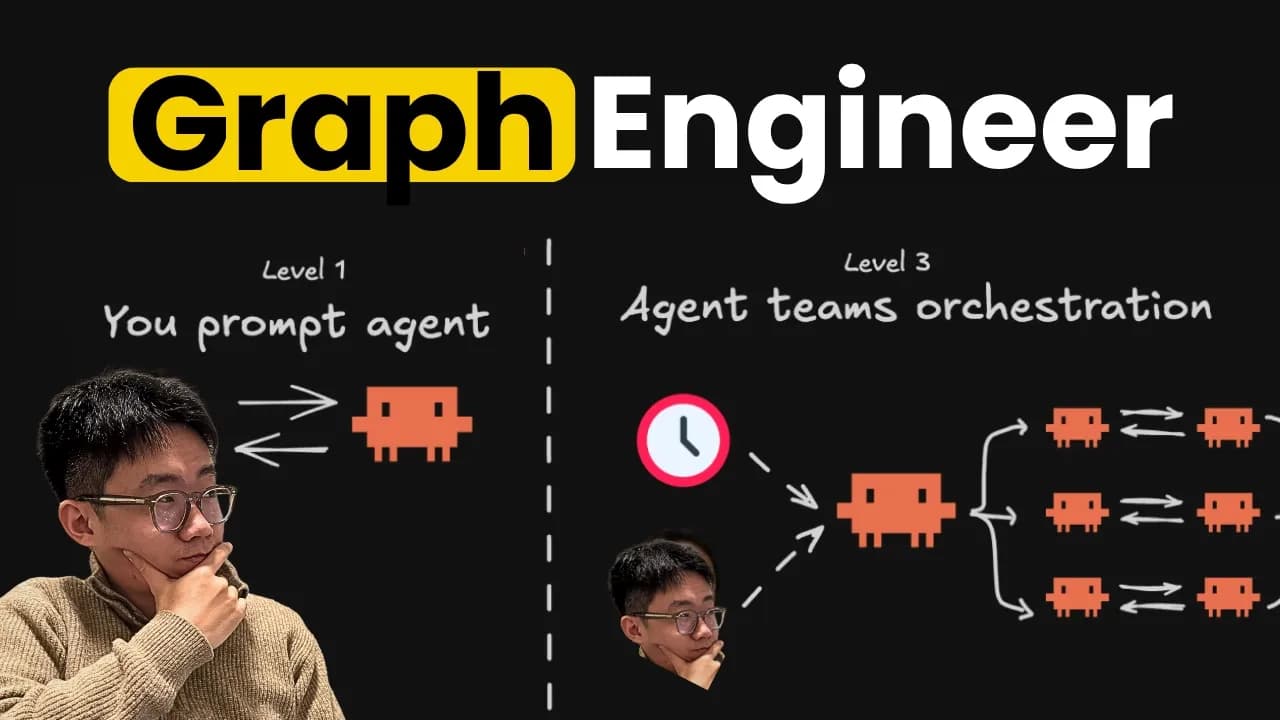
All this loop has been running our company Super Divine for the past months. And today I'm going to show you exactly what we learned from building this loops, what worked and what didn't work. So, hopefully by the end of this video, you understand loops than most people in your timeline. So, last week I wrote about Loop Engineer, the shift from you prompting the agent to do a task towards designing system where the agent can decide what to work on, execute, verifies, and improve over time. And a lot of you said, "Okay, I'm sold, but how do I actually build one that actually works?" Because honestly, everyone can just put together a loop using Copilot or Codex and code it down. But that's easy 5%. The real work is how do you design guardrails that let you walk away from it? The loop that can consistently delivering the work safely and improve themselves over time.
Every loop we build internally has this exact structure. We normally have one markdown file that is holding both what we call loop contract as well as state and lock of this loop. And this serving as a living documentations about the loop itself. Then there will be trigger layer that actually wake up agent to do the work. And there are different type of trigger, which I will talk through a bit more. Then the actual agent that's going to find a work, does the work, improves the work has been done properly, and keep updating the docs. So, the next round starts smarter.
First part of the loop contract, this is crux of the MD file. It's like the constitution of loop. There's three things really matter and lives inside. One is the goal. So, what does the winning look like? Whether there's even a finish line. And also, the boundaries. You want to make it very clear what agent can just do by itself versus the ones that actually need to escalate human. And third is SOP. If you have a specific workflow or principles that you want agent follow every time.
After that, there's a state and logs. So, this is what it keep agent remember what are the things that they have tried before, what are the learnings. And I'm splitting into two parts. One is the state. So, state is like a durable picture. What's the current hypothesis agent has? What are the old backlogs? What are the things that agent has shipped but needs follow up? And this part generally you want to keep it very small and on purpose. Versus log is the append-only record of whatever happened run by run. And without this block, every morning in loop just rediscover the same noise arrow, waste token on chasing the scene that already tried. And for most of small loops, you can basically just put most loop contract and state and block into just one file.
Let's take through one example. This is one loop we are running in our code base called react doctor checks. What it does is that we're utilizing this open source CRI tool called react doctor, which is CRI you can run in your phone and code base and it will automatically identify some of the critical issues, listing them and give you score. So, this loop is basically uh running this react doctor scan on our code base every day and pick up the one of the most critical issue to fix automatically.
So, in this loop's contract doc, we have a scope folder that is talking about the purpose of this loop and also a boundary section. And we're talking about how it should spawn a sub-agent to do the fix in isolated work trees format and how it needs to run through the verification process as well, as well as what kind of change it can just merge by itself versus one that it needs human reviews. Below that, it lists out a SOP about the common workflow it should follow, as well as a state section that is mentioning its current understanding about this loop, what are the tickets and PR already open and shipped, what are the things that needs follow up, and then append-only logs after each round to log what are the things has been happening.
So, every day we agent will be wake up with this documentation as a prompt to trigger the agent start the work. And we actually build an internal tool so that we have a dashboard to track what are the PR has been opened and merged, and how is the react doctor health score improve over time. And this loop contract documentation is not just applicable to engineering tasks. As I mentioned, we also have this CRM uh uh life cycle loop, where every day I would have the our agent to monitor all the daily active users, group them into different segmentations, like ones are small influencers that we should reach out for affiliates and distribution, users who are clearly frustrated based on the large language model logs we have, as well as users who are pretty engaged but haven't upgraded yet. And for each segment, depending on the priorities and risk level, agent can just either auto outreach or draft a message to waiting for me for approval.
And this CRM daily run also has very similar structure. So, we have this documentation that is talking about the goal and SOP for this loop. Then we have a list of boundaries. What are personal pitfalls agent should be aware of when they were doing the research, and what kind of message agent can just send by themselves versus where need approval. Then it has state section that listing out its current understanding and hypothesis, as well as the timeline. Since So, since we have been running this loop for like almost a month, this documentation just keep getting updated after every single run.
The structure we have is basically have loop folder and under each loop, we can contain one readme file. And sometimes there might be other artifacts, which can also be saved in the folder and referenced in that readme file. So, these are first two parts, the loop contract as well as the state log. The next part is a trigger. So, every loop will have some sort of a trigger, but depending on type of loop, you might define trigger differently. And part of reason why current loop were feel a bit confusing is because of different trigger types.
So, we all know Codex and Cloud Code has this go command, where you can define condition and give it go. Then you'll keep running for loops until task has completed. And this is the first type of trigger, is like a continuous for loop. You can imagine behind things is just a while loop. While the goal is not satisfied, or you sometimes can define max back and forth turns, or a token budget. And before those things are hit, it will just continuously doing the same, look at this contract, do next step, until the goal is satisfied. And this as I mentioned before is basically the goal command. It is particularly good for scenario where you can get immediate feedback loops, like bug fixing or implementing a piece of complex software that the specs is well defined.
Meanwhile, second type of trigger is also type of cron job. This is like Codex automation or cloud codes loop or schedule comment. Fundamentally, it will just trigger and wake up the agent in certain interval. And the only difference between loop and schedule is that one is running in the cloud versus one is running in the same session. And these two type of trigger already handle a good amount of scenarios.
But often I found also useful to have event-based loop as well, which means it's kind of reactive to certain events, like whenever there's a new email, you might want to wake up agent and let it handle the email. Or whenever your server get incident, then you want to wake up the agent and get it to fix the incident immediately. And those type of event-based trigger is particularly good for things that needs immediate handling. However, both cloud code and Codex don't natively support those type of triggers. So, what you want to do is actually set up a local daemon process that expose a URL for any webhook to send notifications. So, for example, you can create a webhook on Render and uh point to your local daemon URL to receive certain failed events.
Fourth and probably the most useful type of trigger I found is what I call uh combo or workflow. So, we can have a ticker that's still running interval, but instead of trigger the agent immediately, ideally we just run a script to fetch from data source to check programmatically the where there are new works to handle. For example, for our support inbox triage loop, we actually define a JavaScript here. So, you can fetch from Intercom what are the recent updates from the past 30 minutes. If there are any real updates, then trigger the agent to handle. If not, just skip this the run. And this one we found is particularly effective and useful because we can run the loop in much more cost and token efficient way by batching a good amount of work together for the agent to handle and only wake up agent when there's real work.
And both first two triggers support out of box from cloud code and Codex, but the other two type of triggers you will need to set up your own local script and daemon service. And for us, we have this internal tool that we built to run these type of triggers, which we just open source and you can run locally. It talks directly to your local agent, but your team will have this kind of centralized place to manage all the loops, contracts, state, login, triggers.
This third part of the trigger, I think choosing the right trigger for the specific type of loop that you're running will really drive down the cost a lot. Third is the actual agent that's is going to be wake up and execute the tasks. And normally agent will go through the three stages of First, it gathers the signals and find and prioritize the work. Then start executing the task. And if it's a complex, high-stakes task like engineer tickets, you typically will have a verifier at the quality before it claim finish. For simpler tasks, you might have just one agent doing both three of these jobs. But for more complex type of tasks, you typically will want to break down into three different roles.
And most common structure is this orchestrator agent which will receive the prompt doing the research and planning of the task. Then sponsor agents, each one working isolated work tree, so tasks can be run in parallel. And each executor should hand off task to a verifier who can test the result and also attach evidence to the PR, so it can become much easier for human to review the tasks. And all the updates will be sent back to the loop contract doc. So this kind of the core piece of every loop that we run.
And I have talked about verifier quite a bit before, especially for engineer task. This is like the prerequisite to any loop that delivering high-stake work like real production code change or messaging real customers. Basically, you want to making sure the process is quite easy and produce evidence that human can easily review. Generally, that means that you want to give agent an environment that they can verify their work token efficiently. If you've been following my content, I've made a few articles around that already regarding how do you use things like Playwright CRI to let agent test and record video or image evidence about the work and utilizing things like Crabbox to set up remote sandbox environment to do the test, so you won't be restricted about how many dev server you can run in parallel on your local machine.
And I have packaged this links into a skew called verifier setup, so you can just give to cloud code or codex in your actual code base. Then set up the proper verification systems. And I put the link in the description below for this GitHub repo with all the skills that we talk about here. So you can use it for free.
So this is overall system and anatomy of what does a good loop look like in our case. And meanwhile, another really useful layer we found is this evolve loop. So, the concept here is that most of loop when you just getting started might not be perfect. There could be a lot of room for improvements like how do you design the trigger? So it's more cost effective. How can you turn some of repetitive SOP into script that agent can run? And a lot of those improvement can actually be optimized by the large language model itself. If you give agent all the existing configuration of the agent, the past run state and logs, as well as the raw conversation history so that it can inspect further.
And all we need to do is just after every five or 10 loop runs, we trigger a dedicated evolve session where the agent will be given the existing configuration, past log histories, then prioritize some change. And change can be the the loop contract itself or some outdated state, as well as the trigger script that you can create for repetitive actions. And support loop here is actually a perfect example. It was actually during the evolve run, it starts setting up this programmatic trigger to only wake up agent when it's necessary.
So this is overall system and anatomy of what does a good loop look like for us. And we can go through a few examples together to set this up. And one really good one to start with is this documentation maintainer loop. So I know most of you will have either documentations or some sort of cloud or MB and code base documentation file to help agent gain the full context. But that context can often get outdated. We can solve this by setting up a simple loop where every day it can wake up the agent to check what has been shipped past 24 hours and what are diffs. And compare those change with the read me, the setup guide, the examples and run books. And for each abnormal part, it can actually verify which one is actually true. And if there's nothing stored, then just finish the session. But if there is, then you can just make some small quick fix to making sure the documentation is up to date and open a PR for that.
This loop is very small, but quite a useful to use. And the way we will set up is loop contract look like this. They clearly list out the goal and the boundary about what it can ship by itself and what are the things it is allowed to do. And you will notice this one rules here called never rewrite accurate doc to look busy cuz one default behavior we saw agent has is that it will tend to do something even though it's not necessary. So this kind of the rules is actually quite useful to making sure it produce useful results.
And then in SOP and state and logs. So you can simply give this markdown file to your cloud code or code acts and ask it to set up loop based on this. But as I mentioned before, we actually build this internal tool that we have been using to coordinate and set up loops for us. It allow you to define those kind of programmatic triggers that we shared before. Also set up a contract based on the best practice that we learned. And also past raw wrong logs will also be stored so the agent can remember right itself. And it has this evolve loop behavior building automatically. So you can see after every few sessions there will be a blue dot popping up. And this blue dot is a dedicated evolve run. They will look at past run and then figure out improvements that can be done. Like in this specific evolve, it sharpen the specs and SOP, clean up some outdated state, and also update dashboard for us to easier track the performance, which we found is actually pretty useful.
Because quite often you don't really know the output from the loop. But with this one we can easily track what are the open things that needs our attention and how the performance change over time. And if needed, can just click a button which will copy all the contacts over about this loop to my local computer so I can chat with agent to evolve the loop. And we have included a few templates here already. And doc maintainer is one of them.
So I can just copy this prompt and go to my repo and paste it in. It will automatically include a list of instruction about how this loop should be built alongside some best practice that we encode here. Then it will automatically create this loop knee folder in your code base as well as this doc drift sweep loop. So this is a loop where it will talk about scope of things it should review which is readme, cloud MD, everything in the docs folder, the skill file, the scripts, and then it will talk through the SOP here and the state of current understanding and timeline items. And then we'll have this loop created on Loopery which will automatically trigger the agent on time and keep log of things ever shipped, all the artifacts and all the runs.
And there are few other templates that we've been using and you can just copy paste like this react doctor loop. Other loops that periodically clean up the tech debt. And this is totally open source and free to use. So feel free to just go to GitHub and start using it. I've put a GitHub link in the description below so you can try.
Keep AI Jason in your library
Save the videos and channels worth coming back to, and find them again in one place.