wtf is Loop Engineer & how to setup for real
In a Nutshell
Loop engineering shifts from manual prompting of coding agents to building autonomous agent loops that self-trigger via cron jobs, webhooks, or other agents to continuously discover work, execute tasks, and improve systems without oversight. The core setup requires four components: triggers, shared file structures with artifacts/signals/contracts/logs for cross-loop coordination, tool connectors, and a legible/executable codebase with scripts for parallel agent work and verification. Multiple compounding loops—like support (every 30min), SEO (daily), and ads—read/write from shared signals folders, enabling cross-domain prioritization where one loop's findings feed another's backlog.
These notes were generated by AI and may contain inaccuracies.
At 1:00 a.m. yesterday, multiple PRs were being submitted to the codebase automatically by different agent loops finding issues and picking up work. A Go loop has been running for the past 2 days straight, outputting 20 to 40 extremely high-quality pages daily that drive traffic to the company without manual oversight. Loop engineer represents the shift from manually prompting coding agents to designing autonomous loops that automatically prompt agents.
Before diving into advanced loop engineering concepts, the basic agent pattern consists of three core components: a programming language agent loop, a memory layer, and tool access. HubSpot offers free video courses demonstrating how to build agents from scratch using different tools, including personal assistant agents that read emails and check calendars, and support-style agents that connect to real business workflows. These courses cover how agent memory works and how to effectively manage context.
In 2023, when GPT-3.5 or 4 API first appeared, the primary LLM usage was simple task completion, providing API input and receiving text output for tasks like structured data extraction or writing blocks. The term prompt engineering emerged to address the model's non-deterministic nature through techniques for engineering the right context in LLM calls to steer behavior.
By mid-2024, models became significantly smarter with larger context windows expanding from around 4,000 tokens to 128k tokens, and eventually reaching 1 million token context windows. This advancement enabled building systems where models are equipped with different tools like MCP, allowing them to decide actions and include both tool calls and responses as part of conversations, enabling the LLM to continue loops until tasks are completed.
Even with 1 million token context windows, the effective window remains between 128k to 200k tokens. This limitation drove development of techniques including prompt cache optimization, conversation compaction strategies, and the introduction of skills as a way to extend agent capabilities without expanding context windows.
By the end of 2025, the focus shifted to getting models to handle longer, bigger tasks, with one-shot cloud code commonly completing 30 minutes to 2 hours of work. This period saw experimentation with loops and workflows, beginning with rough loops using simple while loops to run cloud infinitely with the same prompt, followed by cloud code introducing concepts like go, loops, and reasoning workflows.
The transition to cross-session work means multiple different agent sessions handle individual tasks running in loops until completion, requiring ways to track state or file systems across sessions so each agent understands current progress. This led to the agent harness concept, initially mentioned by LangChain, defined as anything that is non-model, including prompt engineering, context management, orchestration logic, and hooks.
Loop engineering represents the outer optimization layer focused on how the entire agentic system decides what should be worked on, rather than just completing individual tasks well. It functions as an environment that triggers agent runtime while tracking state and logs for continuous improvement, freeing users from directly prompting agents. Agents become autonomous, triggered by cron jobs, other agents, or webhooks from server incidents.
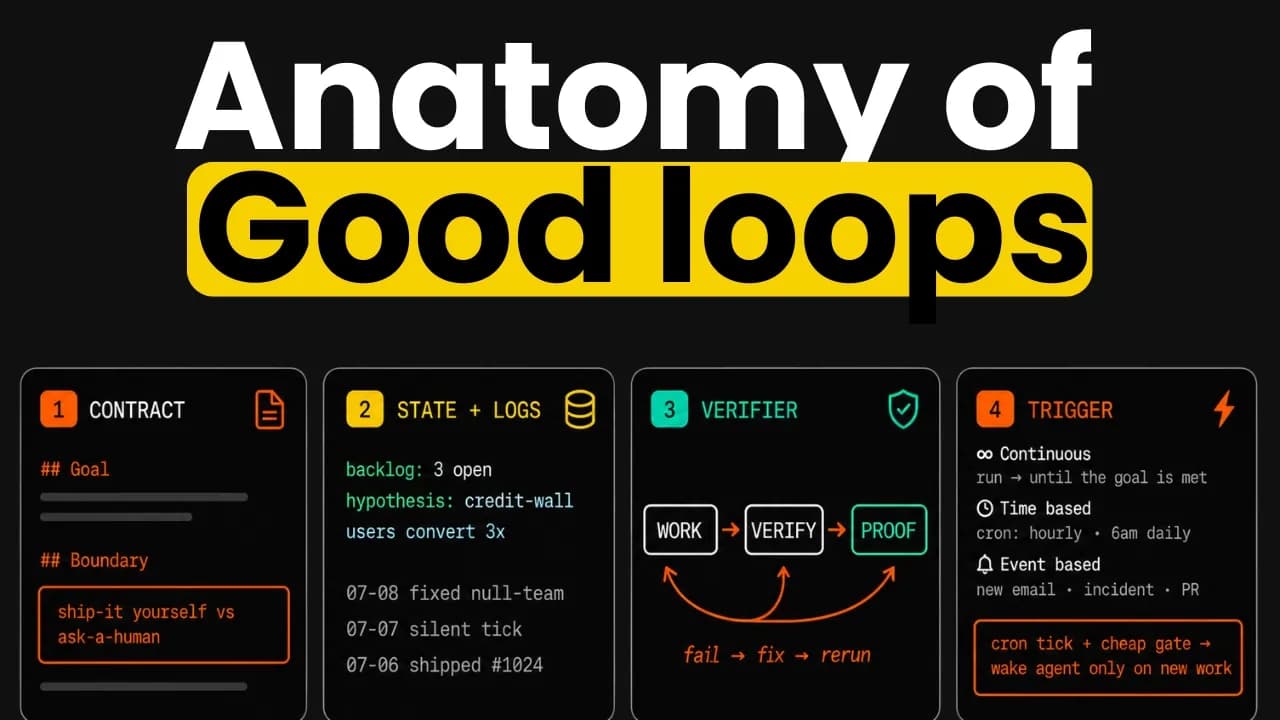
The core mechanism involves setting up triggers so agents wake up at random times and scenarios. Each time, agents typically perform investigation and action, producing backlogs or ideas that main agents can prioritize and assign tasks. The system allows review and learning from previous iterations.
A support loop can be built where every 30 minutes an agent wakes up via cron to review all support tickets, respond to those not handled automatically, and log frictions and ideas for later product improvement. A more powerful version not only logs ideas and frictions but triggers a coding agent to directly implement some ideas, allowing performance monitoring and customer communication about fixes.
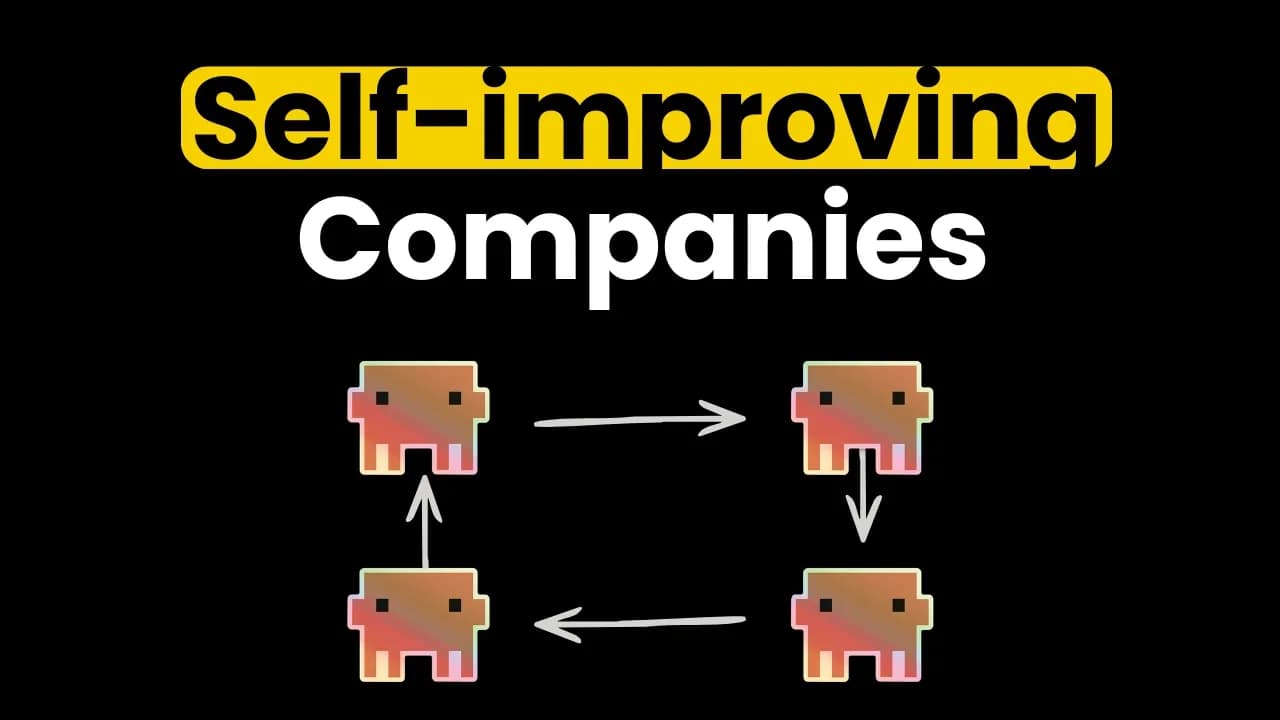
Multiple different loops can compound on each other with a good logging system. In the actual company setup, a support loop triggers every 30 minutes to handle support tickets and log frictions and ideas into a folder called signals. Signals capture product ideas, identified frictions, and missed opportunities, with each signal logged as an MD file containing user experiences and issue occurrences.
An SEO loop runs daily at 9:00 a.m., pulling data and researching topics to publish relevant SEO pages. During data analysis, it might identify interesting insights like pages receiving high clicks but insufficient conversion, adding signals about conversion gaps for specific routes. Each agent loop reads and writes from shared folder systems.
Shared file systems enable loops to analyze data while considering signals identified from other loops or departments, allowing prioritization of frequently reported bugs or opportunities that marketing or SEO teams are optimizing. An ads loop finding keywords with good click rates but lacking organic content can feed this signal information back to the SEO loop for prioritization.
Four essential components are required: triggers (which can be multiple different types), file structure design (with specific best practices), tools and connectors for meaningful work, and a codebase or environment setup allowing parallel and autonomous work where multiple agents can work simultaneously and verify each other's work.
For autonomous agent work, the codebase must be legible so agents can easily understand where to make changes, and executable so agents can spin up dev servers locally with appropriate tooling to verify work.
OpenAI maintains agents.md files indexed to point to documentation systems for progressive agent discovery. Custom links can be set up for programmatic link checking that automatically surfaces warnings when agents don't follow rules, such as preventing use of certain legacy folders in mono repos. The core principle is context engineering so agents don't always need to find relevant information independently.
The agent should be able to start work with just the dev server running, ideally with zero token or cognitive load. A dev.local script enables agents to run the script to get the entire dev server running. The codebase should be work tree friendly so multiple parallel agents can work simultaneously without conflicts when spinning up dev servers for testing. Scripts should allow agents to jump to specific states like all state or on all state to test specific scenarios.
Playwright CLI is optimal as it allows agents to effectively use browsers while recording video clips that can be uploaded and attached to GitHub PRs for easy review. End-to-end tests for critical flows like upgrade flows, sign up flows, and design creation are essential. A PR skill defines steps agents must complete before submitting PRs, including spawning read-only verifier agents with detailed specs rather than self-verification.
A skill called setup codebase harness encapsulates critical setup for making codebases agentic friendly, including useful scripts and docs as skills. The architecture.md file serves as general instruction covering structure that agents should define for different artifact types, loop domains, and log conventions.
Three main file types serve as abstraction levels: artifacts as outputs of agent work or findings representing the shared knowledge layer, contracts for each loop defining goals, workflows, and backlog lists, and logs for cross-domain work tracking and ad hoc information capture.
Each artifact type has its own folder containing a README explaining what belongs in it, what doesn't, the process for adding new items, and the schema. Each artifact includes metadata front matter, main body content, and a timeline logging any changes. Signals cover product feedback, ideas, and observations from any loop, linking to different sources with raw customer feedback or support ticket artifacts.
Each loop folder contains a simple README serving as a contract covering the goal, workflow, outstanding task list, and timeline. When loops trigger, they read this contract to understand goals, workflow, and previous actions before taking mass back action.
A global work log MD file captures cross-domain activities and ad hoc information. Each agent writes to this file when finishing major work blocks and reads the last five or 10 entries before starting work.
Skills required include Intercom for fetching tickets, Stripe for checking payment subscription data, Superbase for debugging payment information, render skill for backend logs, and triage support ticket skill. Scripts facilitate information pulling, and a cloud log MD file provides business context including rules for responding agents and repository management contracts.
The architecture.md file defines structure for different artifact types and loop domains. The process involves pointing to this file to scaffold relevant artifacts like signals, tasks, tickets, and docs, plus domain folders. Each domain folder contains contracts with goals, workflows, boundaries, outstanding task lists, and timelines.
Common workflows are manually run once as test runs before asking agents to create contracts and set up loops. Test runs allow calibration to ensure workflows match requirements. Once satisfactory, loops are set up with README contracts and configured to trigger sessions at specified intervals like every hour.
A repository template called loop engineer setup captures best practices from all team-implemented loops, allowing users to copy the folder structure to set up artifacts and spin up new loops. The template includes hours of step-by-step guidance for setting up loops from scratch alongside 10 hours of deep dive content on building agents and production AI coding.
Keep AI Jason in your library
Save the videos and channels worth coming back to, and find them again in one place.