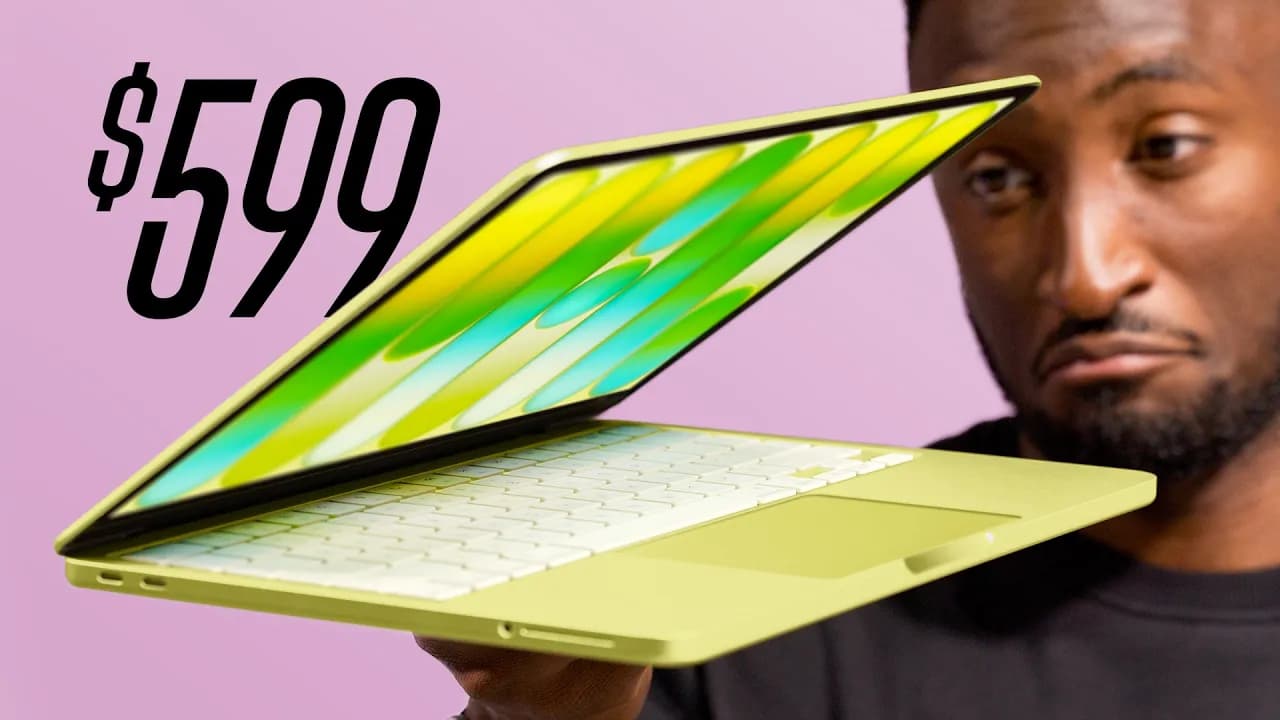
Macbook Neo Review: Better than you Think!
In a Nutshell
The MacBook Neo, priced at $599 ($499 for students), uses an A18 Pro iPhone chip matching M1 performance for web browsing, office tasks, and light editing, with 8GB RAM, efficient swap on fast SSD, 13-inch 1440p LCD, aluminum build, and nearly all-day battery life. It disrupts budget laptops by offering premium feel and macOS at half the MacBook Air's cost, earning A+ for students/writers, B for coders/podcasters/editors, but not gamers or heavy pros. Future versions promise A19 Pro, 12GB RAM, and backlit keyboard, making it Apple's easiest recommend for 90% of users.
These notes were generated by AI and may contain inaccuracies.
Apple's newest laptop, the MacBook Neo, costs $599, or $499 with student discount. After a week of use, it's really good and potentially Apple's most disruptive product in the last 10+ years—not iPhone 10, Vision Pro, or high-end tech, but the opposite. Nothing is fundamentally new, but the combination will make the Windows and Chromebook laptop industry nervous.
It's an entry-level laptop running an A18 Pro iPhone chip, meant for basic tasks like web browsing. Even for tech enthusiasts, it's better than expected.
Cheapest MacBook has been MacBook Air around $1,000 new. This year, M5 chip starts at $1,100. Older MacBook Airs from 2020 sold discounted at Walmart, Costco, refurbished on Amazon for around $600 due to Apple Silicon leap.
Now in 2026, Apple Silicon improved to M5, iPhone chips to A18 Pro, about as good as M1.
Geekbench multi-core over 8,500—same as M1 MacBook Air. OpenCL and Metal GPU benchmarks around M1. Single-core stronger, closer to M3. Cinebench around M1 levels. Capable chip from iPhone 16 Pro that edits 4K videos, crazy in a Mac running macOS.
Translates super well, especially native apps. Great single-core means lightweight apps open quickly, responsive. Bursty tasks like web browsing with tabs, spreadsheets, music, emails, word processing—no problem, all at once.
No performance mode like M series, just low power mode.
Safari vs. Chromium (Chrome fills 8GB RAM faster with tabs). Multitasking fills RAM, flips to swap memory using SSD at 1,500 MB/s read—plenty good for swap, like M1 MacBook Air with 8GB.
8GB not a lot, but swap makes it okay for regular use. Worry as SSD fills over time, may chug. Faster than any Intel Mac, good enough for average person.
Apple cranks millions of these chips at scale from iPhone production, low unit costs. Used A19 Pro for webcam/speakers in new Studio Display (12GB RAM, more than this laptop).
Builds reasonable budget laptop: 13-inch LCD ~1440p, 60Hz, 500 nits (bright for indoors), excellent clicking trackpad, two USB-C ports (one USB 3, one USB 2), headphone jack, average stereo speakers, 1080p webcam good for calls.
Aluminum chassis—best feeling, built in price class. No keyboard deck flex, one-finger lid open with balanced hinge.
Playful colors like citrus (lemon lime Gatorade color). Keyboard same as $3,000 MacBook Pro (same switches, no backlight), off-white/yellow-tinted to match aluminum. $100 upgrade to 512GB adds Touch ID (vs. lock button). Yellow nub feet match. Out-of-box wallpaper/software accents match color (blue for blue, pink/blush for pink).
Rated just shy of MacBook Air—close, with smaller physical lithium ion battery (not lithium polymer). Efficient low-TDP chip sips power. Heavy stuff at high brightness drains faster, but generally good. Includes 20W charger; 0-100% over an hour, faster with higher power charger. Good for almost full day of writing, browsing, video, email, tweeting, light tasks.
Handy rating system for who should get it:
- Students: A+—made for you. Apple targets with TikToks. At $500, better than Chromebook.
- College students: Depends on major/software, but good Mac option.
- Writers: Made for word processing, email, browsing. Same keyboard as premium. Did all writing for this video on it.
- Photographers: B-. Handles Pixelmator, Lightroom; Photoshop tougher. Display bright but not full P3 color space—use external display via USB-C.
- Coders: B. Good for basic coding on Mac. Not for heavy local LLMs (low memory).
- Editors: Not A due to slower SSD/display vs. iPhone. Opens Final Cut Pro, basic 4K edits (LUTs, chop, export) smooth. Plugins chug. Premiere similar. Upgrade to M4/M5 Air for better. CapCut/mobile edits no problem.
- Podcasters: B+. Basic (1-2 mics) okay, but only two USB-C ports means dongles. Speakers not good—use headphones.
- Gamers: Not for it (small 60Hz display, limited RAM, macOS). Casual 60fps games okay (e.g., powerwashing sim), not Counter-Strike.
- Grandma: Get this or Chromebook.
Next Neo: A19 Pro, 12GB RAM, ambient light sensor for True Tone, keyboard backlight.
Easiest for Apple to make, easiest for reviewers to recommend—90+% of MacBook Air for hundreds less.
Dbrand retro-styled skins look like 1984 MacBook. Classic multicolored 80s/90s Apple logos, color-matched for Space Black, Starlight, Midnight, Silver, MacBook Neo (citrus, blush, indigo). Area 51 skin on reviewer's MacBook Pro—adds no thickness, protects, durable. Links in description.
Keep Marques Brownlee in your library
Save the videos and channels worth coming back to, and find them again in one place.