Macbook PROLED Review: It's Not About That
In a Nutshell
The MacBook Pro's tandem OLED display is the real reason to buy, delivering unmatched contrast, color accuracy, and brightness that justifies the $400 premium over mini-LED models. The new chassis is significantly thinner and lighter—half a pound for the 14-inch, 0.7 pounds for the 16-inch—while maintaining identical thermal performance through improved cooling. The touchscreen is a marketing distraction that gets little practical use; the reviewer treats the laptop as a premium display upgrade with better portability, not a touch-first device.
These notes were generated by AI and may contain inaccuracies.
The MacBook Pro is the first with a touchscreen, but this misses the point entirely. The reviewer is squarely in the target demographic and considering purchasing one for video editing as a full-time laptop. After extended use, the more time spent with the device, the less the screen gets touched. Apple's marketing shows extensive screen interaction including poking at Final Cut Pro, manipulating 3D models, and playing virtual keyboards in Logic Pro, positioning touch as the primary feature.
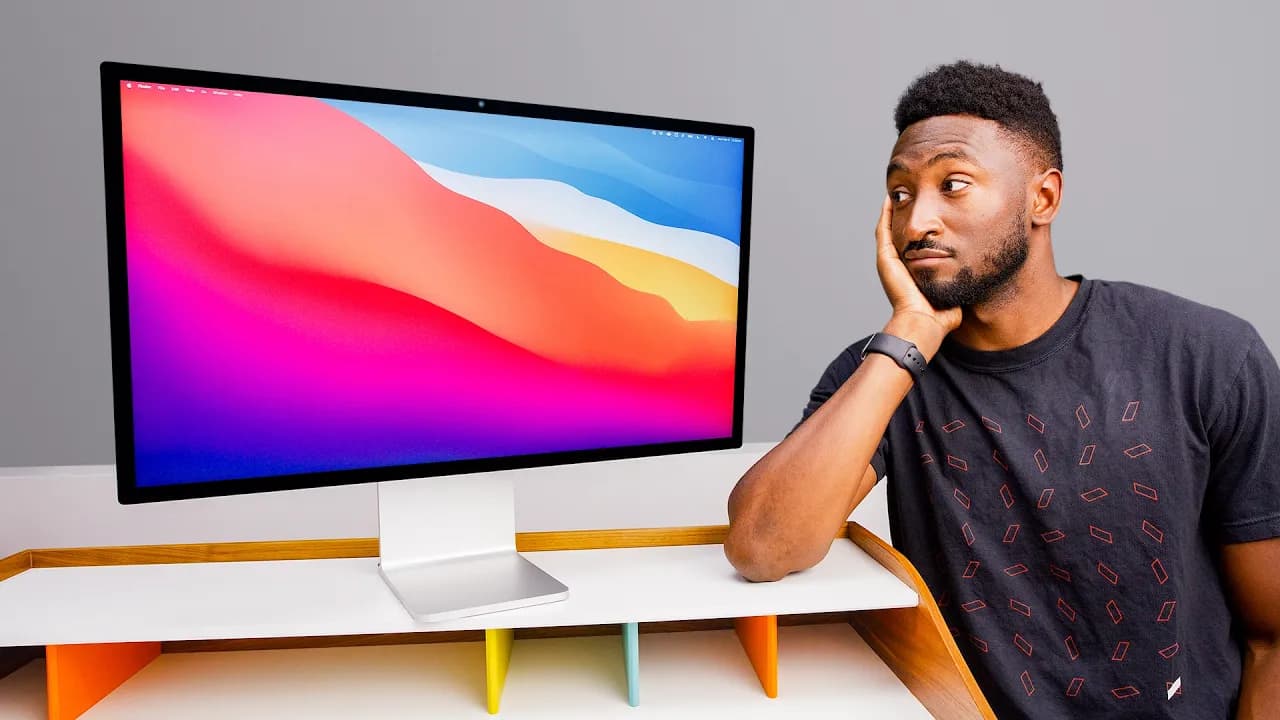
The touchscreen ranks near the bottom of reasons to purchase this computer. The primary reason is the new tandem OLED display, described as the best display ever seen in any laptop. While other laptops have great displays and other ultra high-end models feature tandem OLEDs, this particular implementation is the best looking.
Paper specifications include 1,000 nits sustained full screen brightness and up to 2,000 nits peak brightness, making it usable outdoors in broad daylight without issues. The 10 million to 1 contrast ratio stands out as particularly impressive with OLEDs, especially for high-contrast content and pitch blacks.
The display is tuned extremely well with incredible color accuracy, providing complete coverage of Adobe RGB and P3 in a single mode. OLED technology eliminates blooming entirely since pixels are individually lit without requiring a backlight. Pixel response time is significantly faster, making moving content feel quicker, though this is not positioned as a gaming laptop. Off-axis viewing angles improve compared to mini-LED displays.
Design improvements include extending the display closer to the bottom of the frame for increased screen size, thinner bezels, and rounded corners at the bottom for improved symmetry. The dynamic island replaces the notch, providing meaningfully extra screen real estate for users with many menu bar items.
Mini-LED displays are already excellent, but the tandem OLED represents a substantial improvement. For professionals working with color including photography and videography, the display quality alone justifies the $400 price difference between mini-LED and OLED configurations.
The nano-texture option presents a more complex decision than typical. The reviewer identifies as someone who typically chooses nano-texture due to editing in varied lighting environments including planes, hotel lobbies, and tech events. However, during the product event in mixed lighting, the difference between nano-texture and glossy was imperceptible when viewed side by side.
The review unit lacks nano-texture and features the glossy finish, which still effectively reduces ambient light reflections. Nano-texture remains superior for handling direct point light sources behind the user. However, nano-texture slightly reduces contrast and sharpness, which becomes more significant with OLED's contrast advantages and inky blacks.
Having used both finishes, nano-texture provides easier finger swiping on the touchscreen due to its soft touch finish, while glossy surfaces create more drag. Conversely, nano-texture traps finger oils making it harder to clean. The recommendation is to be certain about wanting nano-texture before selecting this option.
The second reason to consider this laptop is the new lighter, thinner chassis, which received less attention at the launch event due to focus on touchscreen features. The first physical interaction with the 16-inch ProLED XDR model revealed a significant weight reduction: half a pound lighter for the 14-inch and 0.7 pounds lighter for the 16-inch.
Weight savings come from the OLED's lack of backlight and a redesigned cooling system. Despite being noticeably thinner and lighter in both configurations, thermal performance testing showed the redesign maintains performance levels.
Side-by-side benchmarking between identical 16-inch M5 Max configurations (same chip, 128GB RAM) showed identical performance in short burst workloads. Extended benchmarks simulating video editing and 3D rendering over 10, 20, and 30 minutes maintained performance within margin of error between the two machines.
The ProLED model achieved this by spinning fans harder, redirecting hot air out the back and sides rather than past the display at the front. Thermal performance remains essentially identical despite the thinner, lighter design.
The reviewer remains torn between 14-inch and 16-inch configurations. The 14-inch offers perfect portability for everyday use, but feels cramped for occasional video editing on planes or at events. The 16-inch provides better screen real estate but becomes heavy for constant carrying and barely fits in some backpacks.
The lighter, thinner 16-inch model shifts preference toward the larger size, being more than half a pound lighter and easier to transport. The 14-inch configuration now weighs less than the 15-inch MacBook Air.
The backlit Apple logo returns with nostalgic reception online. When off, it appears metallic like recent models, but illuminates with the display, scaling brightness accordingly. The logo can be disabled via terminal command.
Speakers feature more bass tuning while maintaining industry-leading quality, with dedicated closed-lid mode optimization. A new $7,000 16TB SSD option is available. Battery life matches mini-LED ratings but may improve slightly in dark mode due to OLED efficiency.
The touchscreen is described as simply checking a box rather than representing a fundamental new direction. The hinge doesn't push further back for easier flat-surface use and actually doesn't open as far as the previous generation. Apple Pencil support is absent. The hinge is slightly stiffer to reduce wobble.
macOS changes for touch are minimal: traffic light buttons require two taps (one to enlarge, one to select), Spotlight and Siri moved to screen top for swipe-down access, window flicking enables half-and-half management, and menu bar padding increased for finger tapping.
The reviewer, like most users of recent touchscreen laptops, rarely feels compelled to touch the screen. Despite giving it full consideration during review, the implementation feels like the most responsive touchscreen tested, attributed to M5 Max power and OLED touch silicon. This makes it potentially valuable for iOS developers testing apps and improves iPhone mirroring intuitiveness.
Touch can be disabled if unwanted. The overall assessment describes it as a lighter MacBook Pro with an excellent screen that happens to support touch input.
An analogy compares Apple silicon development to the Tesla Roadster: after years of impressive performance, newer models need differentiation beyond speed. Apple adds distinctive features like the glowing logo, dynamic island, and touchscreen to encourage upgrades from older M1/M2/M3 machines.
The reviewer considers the upgrade potentially worthwhile for the $400 display improvement and plans to apply a dbrand Sketch 2D skin with logo cutout. Skinning preserves pristine condition for resale value after 5-8 years of use.
Keep Marques Brownlee in your library
Save the videos and channels worth coming back to, and find them again in one place.