OpenClaw Creator's new secret project...
In a Nutshell
Crabbox solves the scaling bottleneck of running many parallel AI agent sessions by providing isolated cloud sandboxes for testing instead of sharing local environments. Agents can warm up a sandbox, sync uncommitted code changes instantly via `crabbox run`, execute tests with Playwright, and collect video/screenshot evidence without commits or environment conflicts. The setup requires a Dockerfile, `.crabbox.yml` config, and setup script, allowing agents to independently spin up dev servers, test, fix bugs, and retest in seconds while keeping all sessions isolated.
These notes were generated by AI and may contain inaccuracies.
Peter Steinberg, author of OpenClaw, is working on Crabbox, a tool that enables people running hundreds of different agents in parallel to verify agents work very easily.
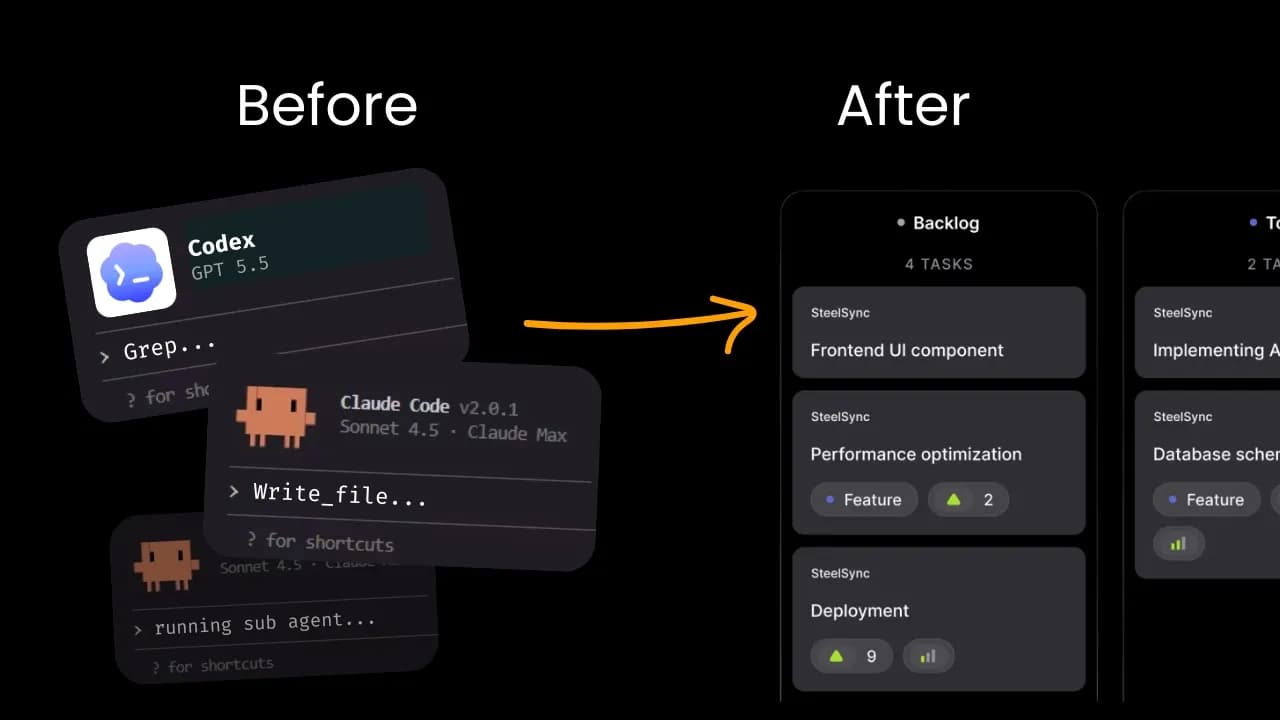
For the past few months, the biggest challenge has been the number of parallel agent sessions running at the same time. After teams start setting up different loops, agents find issues and pick up work autonomously. At any given time, there are at least 10 different agent sessions running, with Peter running at least 15 different sessions in parallel.
This results in a massive amount of PRs that wasn't possible before, but creates a huge burden on reviewing PRs and getting them shipped to real customers. Each PR carries the risk of breaking the system. The bottleneck is no longer writing code, but how to get code merged into the codebase.
One key practice is setting up the right codebase harness. The first step of a codebase harness is giving agents tools and skills to verify their work and have evidence. Playwright is the best option because it allows agents to use browsers to test by themselves and output artifacts like video recordings. Agents can include these artifacts as evidence in PRs, making it easier to merge agent work into the real codebase.
This setup worked fine when running 3-4 different agents simultaneously, but breaks when many agents run in parallel and make changes to database schemas or need to run tests at the same time.
Even with cloud code work trees for each engineering ticket, the environment is only good for agents to write and modify code in isolated environments. When it comes to testing, they need a dev server running on their work tree code. Running this on local environments is very hard because codebases aren't set up to run multiple different instances, ports are often hardcoded, and local environments share the same instance.
If running a local Supabase instance on one computer, there's one Docker daemon and one DB/OS, meaning all environments share the same instance. If one session tries a new schema, it can break all other sessions. Even when sorted out, running a modern production repo consumes significant resources, making it difficult to scale.
The right solution is setting up individual isolated environments to start dev servers for each work tree. Each agent owns its own sandbox with its own database and everything needed to start a real dev server. Each agent sandbox is isolated and doesn't impact others.
Setting up pipelines for this is non-trivial work. You need to spin up a computer on spot, mount it to a disk, copy the code, install dependencies, start the app, open the browser to test, then turn it off and delete after finishing.
Teams went through setting up this process themselves, which was phenomenal work that unlocked significant capabilities. However, problems remain. Even when getting the dev server running, the purpose of testing is to surface issues and bugs. When a bug is hit during testing, agents fix the bug by changing code on the local computer, but there's no easy way to get those dirty files into the sandbox.
Normal commit push CI flow doesn't work well because repos end up with many unnecessary commits. Rebuilding the box requires going through the entire process again. The ideal scenario is making a change and retesting in seconds to see if it works.
Crabox is a tool that allows agents to warm up a box in the cloud, sync the dirty diff from the local work tree folder, and run tests in real time. It has a crabbox warm up command that warms up a box, then agents can use the crabbox run command to run any bash command as they would on a local computer, but these commands run in the cloud box.
Every time the command runs, it first syncs the diff from the local computer to the cloud box. No commit is needed as long as the folder is git initialized. It syncs all uncommitted changes to the cloud, then runs the command. This is almost the same as running commands on a local computer. Once finished, crabbox.stopbox turns off and deletes the box.
Agents can be given crabbox so that after finishing tasks, they run crabbox warm up to spin up sandboxes, then do crabbox run setup to install dependencies and start dev servers. After that, they can run predefined tests or use Playwright tools for end-to-end tests. If bugs are found, fixes can be made locally and the latest changes automatically sync to the cloud on the next command run. Once finished, crabbox.stopbox cleans up.
To set up Crabbox, define a Dockerfile that encapsulates everything on the local computer like Node, Docker, or any required CLI tools. Then define a small .crabbox.yml file that specifies which sandbox provider to use, which files not to sync, and which environment keys to pass. All environment keys listed are pushed straight to the box over SSH connection with encrypted data plane.
This YAML file defines the whole configuration for all crabbox commands. A setup script should also be defined so agents can run one script to get the whole dev server up and running. There are useful commands for generating artifacts like images and videos, and publishing to data storage.
For every run, there's an artifact global command that automatically downloads matching artifacts after the command finishes. This is particularly useful if agents write scripts for end-to-end tests, as files are automatically sent back to the local computer. Commands like artifacts collect take screenshots, artifact videos do screen recording in the cloud, and artifacts publish directly uploads to S3 buckets for posting images or videos inline as PR comments.
The example involves a web app with a web interface, login function, and chat capability with an agent assistant. The app has a frontend and runs a local Supabase instance. Multiple work trees working in parallel can't easily change because they all modify the same Supabase instance. Crabbox allows every agent work tree to test in the cloud.
The first step is defining a Docker image that encapsulates all required packages and tools. Supabase CLI and others are installed. Agents can normally be prompted to create Dockerfiles like this. Then define the .crabbox.yml file using Daytona as the sandbox provider since their sandboxes start up really fast.
Inside Daytona, a snapshot is passed, which is a predefined image created on Daytona. When starting new computers, they can use these images. The default work root is defined, and below that, sync behavior is defined with an exclude tag. Heavy folders not needed for sync can be excluded, such as past evidence or access files. Environment variables to pass to the sandbox are also defined.
A setup.sh file is defined so agents can run one script and automatically spin up dev servers instead of running step-by-step. Creating a snapshot in the sandbox provider is the first step. For Daytona, daytona login is used, followed by daytona organization list to see projects, then daytona organization use to select the active project.
Daytona snapshot create is used with a name, pointing to the Dockerfile and context folder, defining CPU, memory, disk, and region. The snapshot creation process can be stopped if already created, but once finished, the snapshot appears on the sandbox provider.
Each provider has different OS methods. For Daytona, a Daytona API key must be created and set as an environment key on the local computer. Then crabbox warm up --provider daytona with a slug like the session ID can be used to spin up a sandbox.
A help script called cbx.sh wraps several crabbox commands into one. The up command spins up the box and checks status until ready, then runs setup.sh in the background. Running in the background is necessary because providers have limitations like Daytona's 60-second default timeout.
Once ready, crabbox run with provider, ID, and bash commands can be executed. A no sync flag can be added to tell crabbox not to sync files, useful for read file actions or Playwright CLI tests. The cbx.sh script has predefined provider settings and when to pass no sync flags.
Once the crabbox sandbox is running, SSH tunnels can be opened. The first command gets the key to the sandbox, then the second command points local port 3000 to sandbox port 3000 and local backend port to sandbox backend port. This allows testing the sandbox dev server on the local computer.
Opening the sandbox version in a browser is useful even without agent testing, but not ideal because it takes over ports on the computer, causing conflicts. Instead, agents should run Playwright CLI bash commands in the cloud and get evidence back, or run predefined end-to-end tests.
A skill called crabbox test is defined for agents. It spins up dev servers in the cloud using crabbox, then uses Playwright CLI for testing. A PW command is defined as a preview command with ID, provider, and no sync flag.
Agents can be instructed to test web apps via crabbox. The system spins up boxes, starts dev servers, performs end-to-end tests with Playwright, and returns evidence as screenshots or video recordings. Evidence can be uploaded to S3 buckets or GitHub release assets for inline inclusion in PRs as assets. Multiple parallel sessions can run simultaneously without conflicts.
A crabbox setup skill was created that can be given to cloud code or codex to follow through the process of setting up Dockerfiles, connecting providers, creating crabbox YAML files, and the whole process. A standard codebase harness skill sets up crabbox along with other essential things that help agents deliver work efficiently. Both are open source and free to use.
More in-depth step-by-step workshops from web coding beyond basics cover building loops in real production codebases, along with other useful materials available through build club links.
Keep AI Jason in your library
Save the videos and channels worth coming back to, and find them again in one place.